
What is TradingView? What makes this trading platform stand out, and how can you register a trading account? Below is a detailed article for all investors.
What is TradingView?
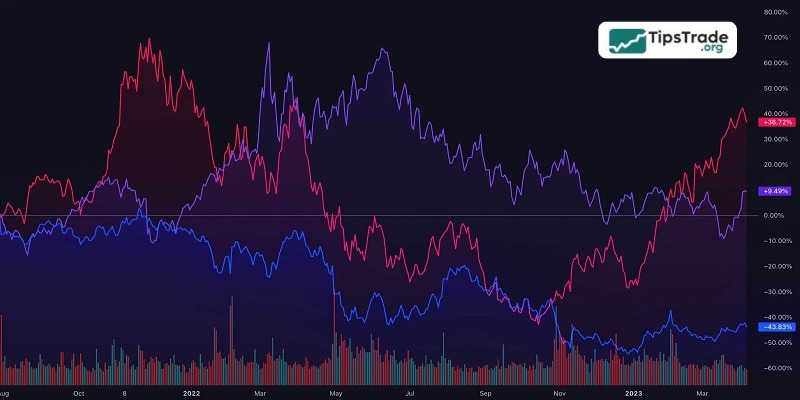
TradingView is an integrated toolkit designed to support investment trading. It can be regarded as a miniature social network equipped with a wide range of tools that continuously update market information.
From providing technical indicators, searching and displaying data, to sharing and discussing trading ideas with other investors, TradingView also allows users to update and store project-related data as well as connect with other live trading applications.
Launched in 2011, TradingView helps investors analyze markets across various asset classes, including stocks, cryptocurrencies, futures, and CFDs. Today, it is one of the most widely used toolkits in the investment community, adopted by the vast majority of traders.
- How to Use Forex Factory for Maximum Success
- How to Code Pine Script: Ultimate Beginner’s Guide
- What is MT4? A detailed guide on how to download and use MT4
- What is MT5? Basic Guide on How to Use the MT5 Trading Platform
Why is TradingView trusted by traders in financial trading?
What is TradingView stands out from other trading platforms currently available because it offers a wide range of services, allowing users to choose the features that best suit their needs. Professional traders often spend a significant amount of time on this website to analyze market data. So, what breakthrough features does TradingView provide for traders?
- The interface is designed to be user-friendly and easy to use for all types of investors.
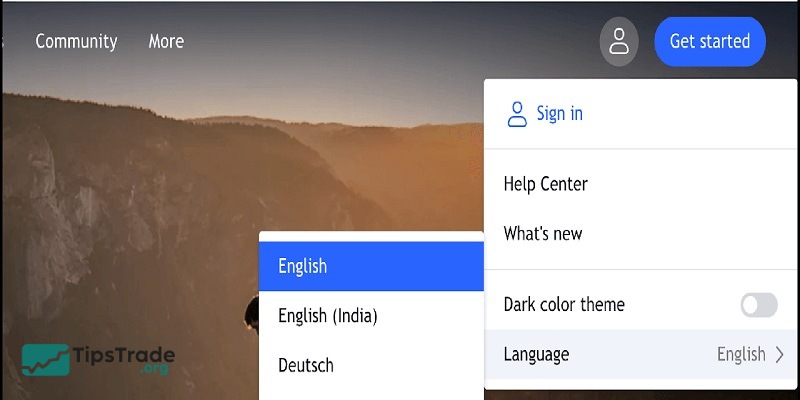
- It supports more than 18 popular languages worldwide, including Vietnamese, enabling Vietnamese traders to confidently understand the information provided on the website.
- TradingView offers a web-based platform that is compatible with multiple devices and operating systems such as iOS and Android.
- Traders can create their own datasets and personalize information according to their preferences.
- It serves as a place to learn, connect, and interact with other traders, where users can even seek insights and shared experiences from more seasoned traders.
- TradingView also provides a diverse library of analytical charts, and with just an internet connection, users can easily review and analyze the market.
TradingView pricing plans: Choose what fits you
Currently, what is TradingView offers four types of accounts, divided into a free plan (Basic) and paid plans (Pro, Pro+, and Premium).
TradingView free plan
TradingView provides a wide range of features even on the free plan, including basic chart types, smart drawing tools, and over 100,000 built-in popular indicators.
Essential features such as candlestick patterns, trading volume, and commonly used indicators like RSI, MA, EMA, SMA, and others are still fully available.

However, because it is a free account, you can only access TradingView on one device. Some features are limited: you cannot view multiple charts in a single tab, cannot enable many indicators at the same time, and you have to accept advertisements, although they are not overly intrusive.
If you are a beginner, a swing trader, or a long-term investor, I believe the free version of TradingView is more than sufficient. In addition, most traders typically only need to use two or three indicators clearly and in depth, which still allows you to trade effectively without paying any fees.
TradingView paid plans
TradingView’s paid plans include Pro, Pro+, and Premium, with corresponding fees of $14.95/month, $29.95/month, and $59.95/month.
The features across these paid tiers do not differ drastically; however, the higher the plan, the more advanced and comprehensive the features become. You will find it very convenient when upgrading from the Basic account to one of the paid plans.
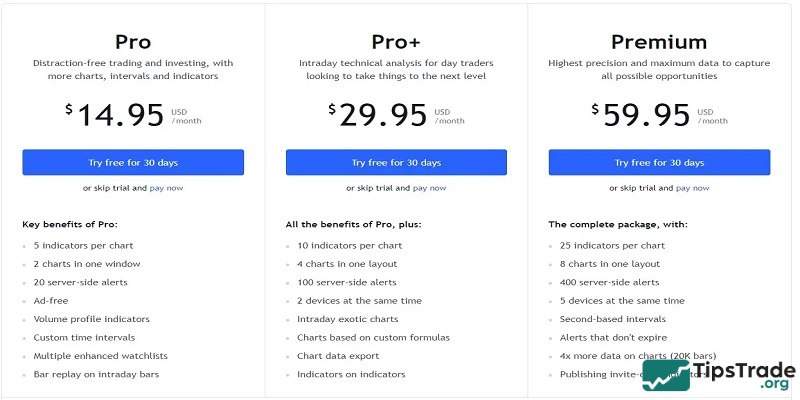
For example:
- With a Basic account, you cannot view multiple charts at the same time and are limited to using only 3 indicators, whereas the Premium plan allows you to view up to 8 charts simultaneously in a single tab and use up to 25 indicators.
- The Basic and Pro accounts allow you to log in on only one device at a time, while the Premium account supports up to 5 devices.
- The Basic account allows you to save only one chart layout; the paid plans allow you to save 5 or 10 layouts, and the Premium plan offers unlimited saved layouts.
- Paid accounts receive support from TradingView’s customer service team, a benefit that is not available to free accounts.
How to install TradingView
On the web
You have two options: using a web browser or installing the desktop application.
With the browser option, you simply need to visit the official TradingView website, register an account, and you can start using it right away.
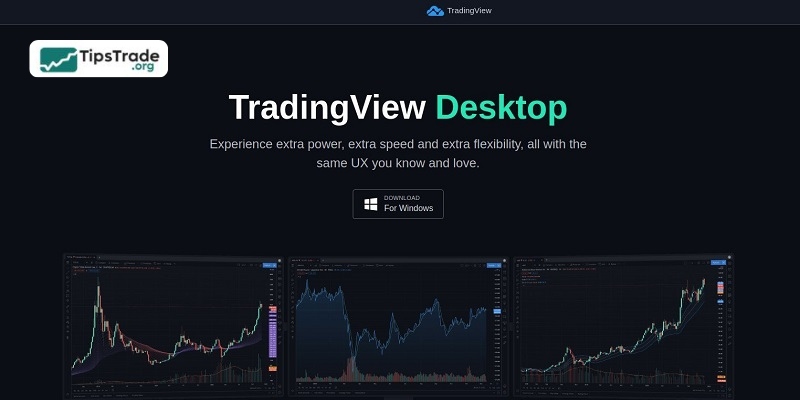
TradingView’s desktop application is compatible with three popular operating systems: Windows, macOS, and Linux. You just need to download it to your computer, launch the application, log in, and then enjoy using TradingView on the desktop.
You can absolutely use both the desktop application and the browser at the same time. Everything is the same, from the layout to the watchlists, and is 100% synchronized so you can always track market fluctuations anytime, anywhere.
On the app
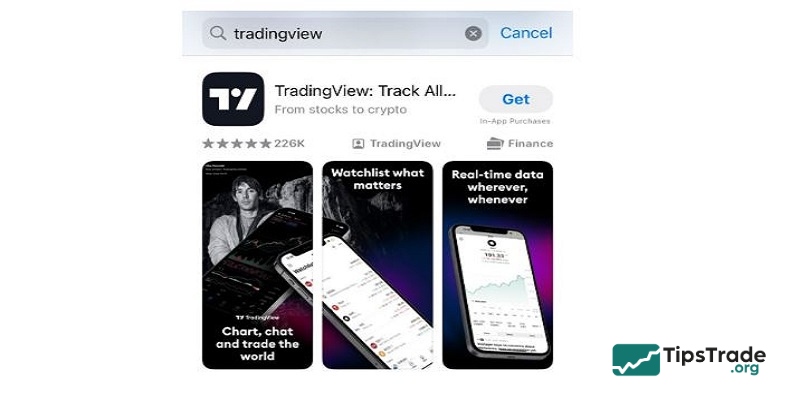
TradingView is currently available on both Android and iOS platforms. For iOS specifically, TradingView also supports an iPad version that offers full features similar to those on the mobile phone version.
You can visit the App Store or Google Play to download and install the TradingView application.
Guide to registering an account on TradingView
Registering an account on TradingView is quite simple. You just need to follow the four steps provided by Tipstrade.org below:
- Step 1: Visit the TradingView website at https://www.tradingview.com/ → go to the top-right corner of the screen → select Sign Up or Join Now.
- Step 2: You will then be redirected to another registration page. If you are a beginner, choose the Basic account. If you have more experience and want to use a wider range of tools, you can select an advanced plan. Choosing an advanced plan will redirect you to a payment page.
- Step 3: Next, fill in all your personal information. If you want to ensure better security, it is recommended to register using your email address. After completing the information, check “I have read and agree” to the terms, then select “I’m not a robot,” and finally click “Sign Up.”
- Step 4: After completing the registration, you will receive a confirmation email from TradingView. Check your email and click the confirmation link. Once confirmed, you can fully use your account for financial investing.
TradingView across investment fields
- Stocks: Investors can easily analyze stocks, track indices, and screen stocks based on their own criteria.
- Forex: Fast, responsive charts and a wide range of analytical tools help traders accurately capture movements in the foreign exchange market.
- Cryptocurrencies: TradingView supports data from many major exchanges, making it suitable for both short-term and long-term investors.
- Commodities and indices: Gold, crude oil, and global indices are all available on the platform, serving a wide variety of analytical needs.
Introduction to the TradingView interface
The TradingView interface offers you several features, including:
- Search bar: Helps you quickly find trading instruments, trading ideas, educational ideas, indicator tools, and traders within the community.
- Charts: This is where you access TradingView’s charting interface, also the section most traders and investors are interested in.
- Trading: Contains information about top brokers and the awards they have received.
- Markets: A list of markets currently provided by TradingView, including cryptocurrencies, currencies, stocks, bonds, indices, and futures.
- Screeners: Provides tools that allow you to quickly access overviews, performance data, volatility, and more for trading instruments in markets such as stocks and cryptocurrencies.
- Community: This section contains all ideas, scripts, and information related to TradingView. You can publish your own ideas here to discuss, analyze the market, and set up trades together with other members of the community.
- More: Includes user-related information such as paid plans, feature introductions, the help center, and the desktop application.

Tips for using TradingView effectively
- Start with basic indicators to avoid information overload.
- Use the watchlist to manage your investment portfolio.
- Combine multiple timeframes when conducting analysis.
- Refer to ideas from the community, but always maintain your own trading strategy.
TradingView development trends toward 2026
- Applying AI to provide smarter analytical suggestions.
- Improving the mobile interface with faster performance.
- Integrating more exchanges and new asset classes.
- Developing a more deeply interactive and engaged community.
Conclusion
TradingView is a powerful financial analysis platform that combines intuitive charts, real-time data, and a vibrant trading community. Understanding what is TradingView and making full use of its features can help investors make more informed decisions in a highly volatile market. Whether you are a beginner or an experienced trader, TradingView delivers practical value throughout your trading and investment journey.
See more: