

VPS for MT5 is a solution chosen by traders to execute trades safely and quickly 24/7, reduce latency, and increase the success rate in the financial markets. So, what is VPS for MT5? How to install this device? Criteria for evaluating and choosing an MT5 VPS? The detailed answer will be in the article below.
What is a VPS for MT5? Its importance for traders
VPS for MT5 (short for Virtual Private Server) is a virtual server that operates continuously 24/7 on a cloud computing platform. When you install VPS for MT5, your trading platform runs independently of your personal computer.
Key benefits of using a VPS for MT5 include:
- 24/7 operation: Your trading robots (EAs) can execute trades even when your computer is turned off or your internet connection is interrupted.
- Reduced latency: Hosting the VPS close to the broker’s server allows orders to be transmitted within just a few milliseconds.
- Enhanced security: Minimizes risks from malware on personal computers or unexpected hardware failures.

See more:
- MT4 VPS and Its Significant Benefits for Traders
- What is MT5? Basic Guide on How to Use the MT5 Software
- How to Install MT5 on Any Device: Complete Guide 2026
- How to Place MT5 Orders: A Step-by-Step Guide for Traders
Criteria for choosing a VPS for MT5
Not all VPS for MT5 are the same. To run VPS for MT5 smoothly, here are the important technical specifications you need to pay attention to:
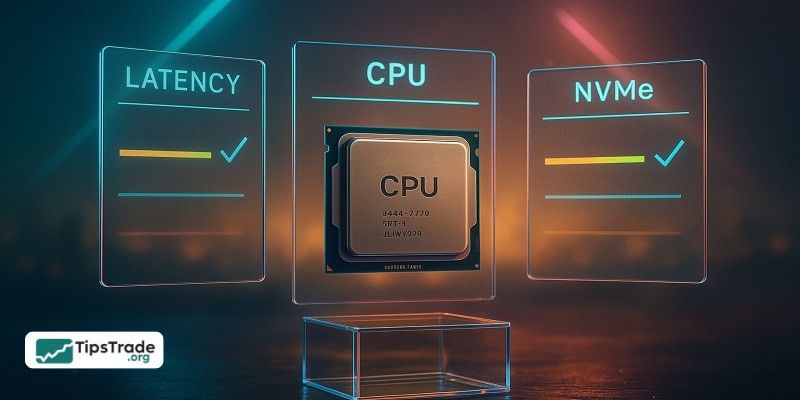
CPU (cores & clock speed)
Plan for ≥1 vCPU per actively traded terminal; heavy EAs may need more. Prefer higher single-core clocks (~2.5–3.5 GHz+) to reduce execution lag during fast markets.
RAM (capacity & headroom)
Start at 2–4 GB for light use, then add ~1–2 GB per additional terminal. Keep ≈20% free RAM to handle news spikes and avoid paging.
Storage (type & size)
Use SSD/NVMe for fast I/O. Allocate 15–40 GB for light setups; 50–100 GB if you keep large histories/logs or run backtests. Rotate/purge logs periodically.
Operating system & architecture (64-bit)
Choose a 64-bit OS to match current MT5 builds—Windows Server 2019/2022 is the simplest, best-supported path. (Linux via Wine is possible but adds overhead.)
Network (latency, jitter, bandwidth, location)
Host near your broker’s region (e.g., London/New York/Tokyo/Singapore) to cut round-trip time. 1–2 Mbps is fine for basics; 10 Mbps+ helps multi-account/copy trading. Prioritize low latency and low jitter over raw port speed.To guarantee smooth execution and 24/7 availability of your terminals, consider a dedicated forex VPS that’s optimised for low-latency connections and high reliability.
Uptime & reliability (SLA, redundancy, monitoring)
Look for 99.9–99.99% SLAs, redundant power/network, and 24/7 monitoring. Managed options that handle patching/backups reduce operational risk.
Security & maintenance (hardening & hygiene)
Enable 2FA, keep the OS patched, lock down RDP/SSH with firewall rules/IP allow-lists, and run reputable AV/EDR. Schedule periodic reboots, monitor CPU/RAM, and maintain snapshots/backups of terminals/EAs/profiles.
How to install a VPS for MT5
Installing VPS for MT5 isn’t too complicated. You can follow these steps:
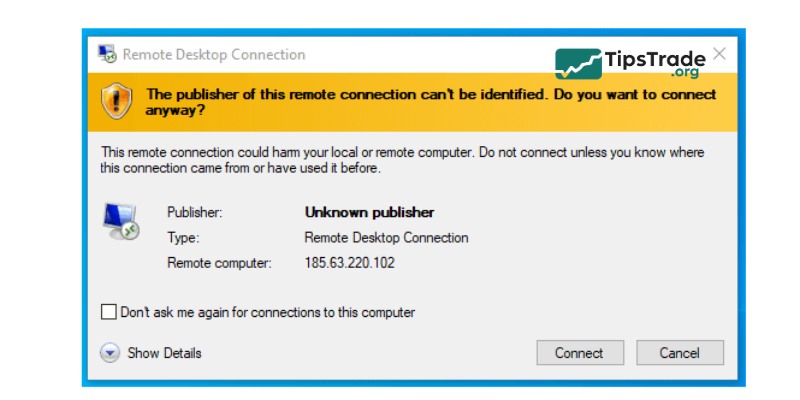
- Connect via remote desktop (RDP): Use the remote desktop application on Windows or macOS to access the VPS server using the provided IP address.
- Download and install MT5: Open a browser on the VPS, visit your broker’s website, and download the official MT5 installation file.
- Configure the Expert Advisor (EA): Copy your EA file from your personal computer and paste it into the MQL5 folder on the VPS.
- Maintain operation: After clicking “Auto Trading” you can close the Remote Desktop window. MT5 will continue running in the background on the server.
VPS for MT5 vs. Traditional VPS: What is the difference?
This table provides a quick overview about the difference between VPS for MT5 vs. Traditional VPS:
| Feature | MT5 VPS | Traditional Trading VPS |
| Performance | Decent for basic strategies | Much better for speed, multitasking, and heavy loads |
| Uptime and Reliability | Works round the clock | Varies from one provider to another. Reputable providers are up round the clock. |
| Cost and Value | Affordable | Usually more expensive |
| Ease of Use and Setup | Super simple (just use MT5) | Slightly technical |
| Customization and Scalability | Very limited. You’re stuck with what you get. | Full control. Install what you want and upgrade anytime as your trading grows. |
| Security | Locked down by MetaQuotes | You manage security (or choose a host that does) |
| Support and Management | Dedicated to the MT5 only. Responses may be slow. | Faster responses, with a wider range of assistance offered. |
| Broker and Trading Platform Compatibility | MT5 only | MT4, MT5, cTrader, and more |
| Best for | New traders, single-account setups | Experienced traders, multiple accounts, algo trading, and the sort. |
Optimizing MT5 performance with VPS
To save resources and enhance the trading performance of the MT5 platform on a virtual server environment, professional traders recommend the following:
- Close unnecessary charts: Each additional open chart consumes a significant amount of RAM.
- Limit the number of displayed candles: Go to Tools → Options → Charts, and reduce “Max bars in chart” to the minimum level (for example, 5,000).
- Disable sound alerts: This helps reduce the CPU load on the VPS.
Mistakes to avoid when using a VPS for MT5
Below are hard-learned lessons that many traders have experienced when using a VPS for MT5:
- Using a free VPS for a real account: Free VPS services are often extremely unstable and pose serious security risks. Don’t risk a trading account worth thousands of dollars just to save a few dollars per month on VPS fees.
- Not checking latency (ping): After installation, check the bottom-right corner of MT5. If the ping is greater than 100 ms, you should reconsider the location of your VPS.
- Forgetting to set up automatic startup: Make sure MT5 is configured to start automatically with Windows in case the VPS reboots after system updates.
Conclusion
Using a VPS for MT5 offers numerous benefits for traders, ranging from improved stability and faster order execution to enhanced security of trading information. With a VPS for MT5, you can be confident that your trades will be executed continuously and accurately, without being disrupted by technical issues or unstable internet connections.
Above are the detailed insights related to using a VPS for MT5. We hope this information will be useful to you!
See more: