
Currently, both popular trading platforms TradingView vs MT4 maintain their leading positions in the global financial market. While TradingView stands out for its chart analysis capabilities, data, and community idea sharing, MT4 is a strong choice for order execution and automated trading. This article is a concise guide to both leading platforms. You’ll learn the subtle and noticeable distinctions to help make the perfect choice tailored to your trading goals.
Detailed overview of TradingView vs MT4
Choosing the right trading platform is one of the most fundamental decisions, as it directly affects your investment performance and overall trading experience. In today’s market, TradingView vs MT4 are two of the most prominent platforms, but they serve very different purposes and user groups. Understanding the nature, strengths, and weaknesses of each platform is the first step toward building a professional trading system.
TradingView: The “king” of technical analysis & trading community
Launched long after MT4, TradingView created a revolution by approaching the market from a completely different angle. Instead of focusing on trade execution, TradingView places chart analysis and community interaction at the center of the user experience.
It is a web-based platform, meaning you can access your charting techniques and analytical tools from any browser without installing software. TradingView’s interface is widely regarded as far more user-friendly and intuitive than MT4’s, effectively turning it into an accessible financial encyclopedia.
TradingView offers an extremely advanced charting toolkit with over 100 built-in technical indicators, more than 90 intelligent drawing tools, and the ability to display multiple charts on a single screen. Its Pine Script programming language allows users to create custom indicators and strategies with relative ease.
TradingView’s most distinctive feature is its social aspect. Traders can publish their ideas and analyses directly on charts, follow, and learn from other top traders. Although TradingView is gradually expanding its direct trading integrations with brokers, its core function remains a top-tier market analysis and research tool.
>>See more:
- MT4 vs MT5: Which Platform Should Traders Choose?
- Explore top 5 best indicators TradingView
- Discover the top 6 indicators in MT4 that are widely used
- How To Install EA Into MT4? A Step-By-Step Guide
MetaTrader 4 (MT4): The “icon” of forex & trading robots
Developed by MetaQuotes Software and launched in 2005, MetaTrader 4 (MT4) quickly became the gold standard in the Forex and Contract for Difference (CFD) trading industry.
The greatest strength of MT4 does not lie in a flashy interface, but in its stability, reliability, and exceptionally powerful automated trading ecosystem. The platform is built around the MQL4 programming language (MetaQuotes Language 4), which allows traders to develop, test, and deploy automated trading strategies known as Expert Advisors (EAs).
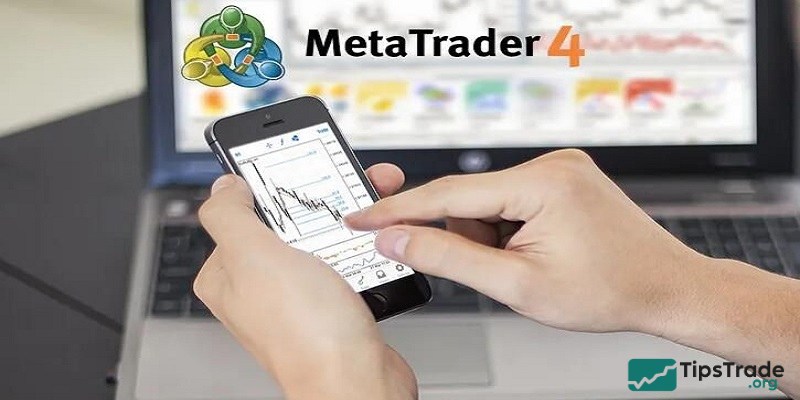
The global MT4 user community has created thousands of EAs and custom indicators, both free and paid, available through the MQL5 Community. This has resulted in a massive resource library that no other platform can truly match. Algorithmic traders and those seeking to automate their strategies often consider MT4 an irreplaceable choice.
Moreover, MT4 is supported by nearly all Forex brokers worldwide, offering maximum flexibility when choosing a trading partner. Although its interface may appear outdated by modern standards, its fast order execution, familiar Forex order types, and deep customization capabilities continue to secure MT4 a strong and enduring position in the market.
At a glance: Key differences between TradingView vs MT4
This table gives you an instant overview of the core differences in the TradingView vs MT4 matchup, providing a quick reference before we dive deep into the specifics:
|
Feature |
MetaTrader 4 (MT4) |
TradingView |
|
Primary focus |
Trade execution, automated trading (EAs) |
Advanced chart analysis, social trading |
|
Platform |
Installed software (Windows, macOS), Web, Mobile |
Web-based platform, Desktop app, Mobile |
|
Interface |
Classic, functional, highly customizable |
Modern, intuitive, user-friendly |
|
Charting tools |
Basic, sufficient with common indicators |
Superior and diverse (100+ indicators, 90 drawing tools) |
|
Automated trading |
Very powerful with Expert Advisors (MQL4) |
Supported via Pine Script, but limited execution |
|
Backtesting |
Powerful but with a complex interface |
More intuitive and easier to use |
|
Supported markets |
Mainly Forex and CFDs (depending on broker) |
Very diverse (Stocks, Forex, Cryptocurrencies, Commodities, etc.) |
|
Broker integration |
Supported by almost all Forex/CFD brokers |
Still developing, fewer supported brokers than MT4 |
|
Cost |
Free when opening an account with a broker |
Free version (limited), paid plans (Pro, Pro+, Premium) |
|
Community |
Large, focused on MQL4 programming and EAs |
Large, focused on idea sharing and technical analysis |
Deeper dive into TradingView vs MT4 comparisons
When placing the two platforms TradingView vs MT4 side by side, the differences become clearer than ever. Choosing between them is not merely a matter of personal preference, but a strategic decision that affects how you analyze the market, manage risk and capital, and develop your trading skills. Tipstrade.org will provide an in-depth analysis of the most important aspects, from interface design and analytical tools to automation capabilities and supporting ecosystems. So, you can gain a comprehensive perspective and make the most suitable choice.
User interface and Experience
The difference in design philosophy between TradingView vs MT4 is most clearly reflected in their user interfaces. MT4 has a classic appearance, focusing more on functionality than aesthetics. Its interface is highly customizable, allowing users to arrange chart windows, the Terminal, and the Navigator according to their preferences. However, for beginners, this interface can be somewhat difficult to get used to and may feel outdated.
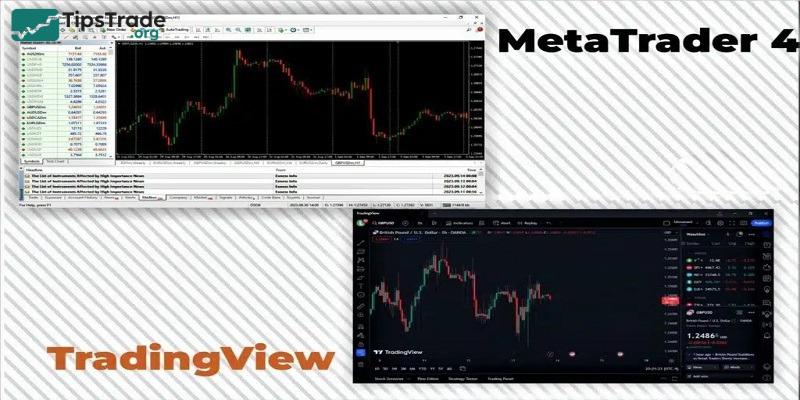
In contrast, TradingView delivers a modern, smooth, and intuitive experience from the very first use. Operating on a web-based platform, its interface is clean, well-organized, and easy to navigate. Adding indicators, drawing trendlines, or changing timeframes can all be done quickly and effortlessly. Cross-device synchronization (desktop, tablet, and mobile) is also a major advantage, allowing you to continue your analysis anytime, anywhere without interruption.
Charting and Technical analysis tools
This is the area where TradingView clearly dominates. The platform was built with the goal of becoming the best charting and analysis tool, and it has successfully achieved that. TradingView offers a wide range of chart types (Candlestick, Line, Heikin Ashi, Renko, Kagi, etc.), hundreds of technical indicators such as the Relative Strength Index (RSI), and a rich set of drawing tools that can satisfy even the most demanding analysts. The ability to compare multiple assets on a single chart, create custom timeframes, and use multi-chart layouts (from 2 to 16 charts depending on the subscription plan) delivers exceptional analytical power.
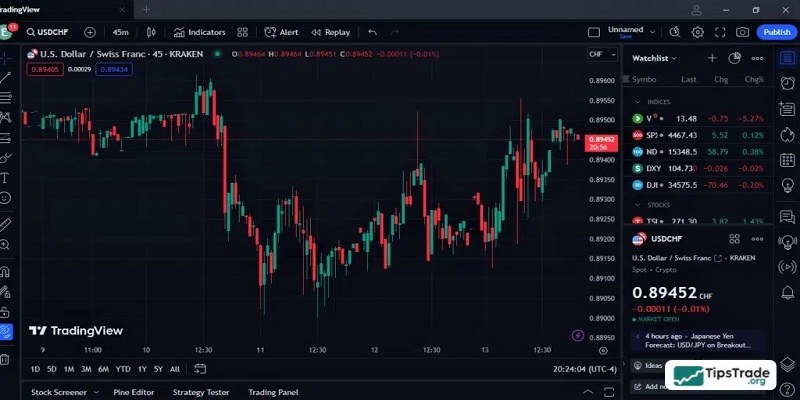
MT4, on the other hand, provides basic charting tools that are sufficient for most traders. It includes all the common indicators such as Moving Averages, RSI, MACD, Bollinger Bands, along with basic drawing tools like trendlines and Fibonacci tools. However, compared to the smoothness and diversity of TradingView, the drawing and analysis experience on MT4 feels more rigid and limited.
Automated Trading: EAs vs Pine Script
If TradingView is the king of charting, then MT4 is the emperor of automated trading. This platform was built to support Expert Advisors (EAs). The MQL4 language, although dated, remains extremely powerful and is backed by a massive global developer community. The MQL5 Marketplace is where you can find thousands of ready-made EAs, indicators, and scripts. MT4’s Strategy Tester allows for detailed backtesting of EAs and parameter optimization to achieve the best possible performance.

TradingView also has its own programming language, Pine Script, which is designed to be easier to learn than MQL4. You can create custom indicators and strategies and run backtests directly on the platform. However, deploying these strategies for true automated live trading is far more complex compared to MT4. You typically need third-party services to connect TradingView alerts to your MT4 trading account, creating an intermediary layer that can introduce execution delays.
Accepted brokerages
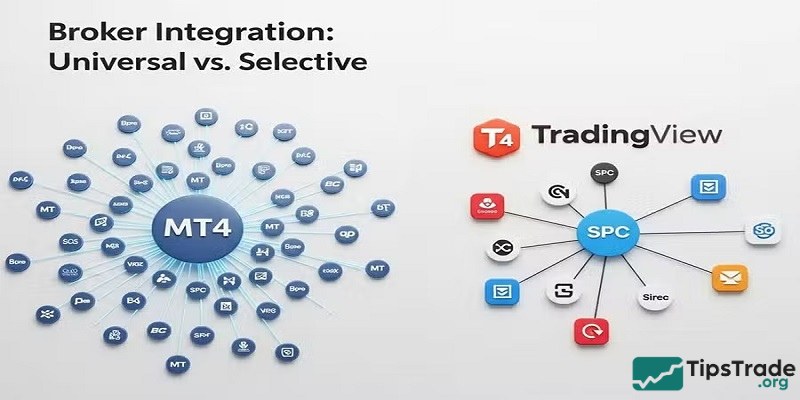
In terms of popularity and broker support, MT4 is virtually unrivaled. Almost every Forex and CFD broker worldwide offers MT4 as its primary trading platform. This gives you the freedom to choose the broker that best suits your trading conditions without worrying about platform compatibility. Downloading and installing MT4 from any broker’s website is also very simple.
TradingView, on the other hand, has a list of brokers that are integrated for direct trading from charts. While this list is steadily growing, it remains relatively modest compared to MT4. For many traders, a common workflow is to use TradingView for in-depth analysis and then switch to the broker’s MT4 platform to place trades. This combination allows traders to leverage the strengths of both platforms.
TradingView vs MT4: Which platform is right for you?
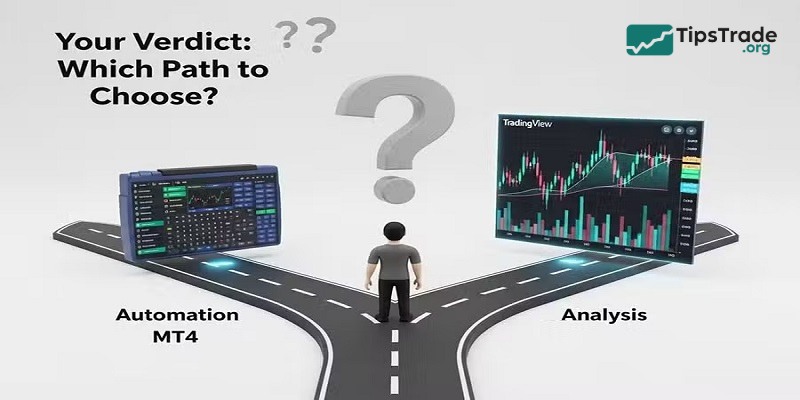
The final decision between TradingView vs MT4 has no absolute right or wrong answer. Instead, it depends on who you are as a trader. Clearly understanding your own trading style, strategy, and daily workflow will help you determine which tool will serve as a powerful assistant rather than a barrier. Tipstrade.org will outline typical use-case scenarios to help you evaluate yourself and make the most informed choice for your investment journey.
Choose MetaTrader 4 if you:
MT4 is an essential choice if you fall into one of the following categories:
- Algorithmic traders: If you plan to use or develop trading robots (Expert Advisors – EAs) to fully automate your strategies, MT4 is the optimal platform. The MQL4 ecosystem and its vast support community are unmatched.
- Systematic traders: If you follow a strict set of trading rules and need a stable, reliable platform for order execution without distractions, MT4’s simplicity and function-focused design are a major advantage.
- In-depth forex trader: MT4 is optimized for the Forex market. If your focus is primarily on currency pairs and related CFDs, MT4 delivers everything you need with high performance.
- Traders who need broker flexibility: Since most brokers support MT4, you can easily switch between brokers without having to relearn a new platform.
Choose TradingView if you:
TradingView will be an excellent companion if you are:
- Advanced technical analysts: If chart analysis is at the core of your strategy, TradingView’s advanced drawing tools and indicators provide a strong competitive edge. Its intuitive multi-timeframe and multi-asset analysis capabilities are second to none.
- Day traders and scalpers: Traders who use intraday or scalping strategies need to make fast decisions based on price movements. TradingView’s smooth interface, flexible charts, and advanced alert system make it ideal for this trading style.
- Multi-market traders: If you trade across multiple markets such as stocks, cryptocurrencies, and commodities alongside Forex, TradingView is the superior choice. The platform aggregates data from various sources, giving you a comprehensive view of global financial markets.
- Those who enjoy learning and sharing: If you want to engage with a community, learn from others’ analyses, and share your own ideas, TradingView’s social features are unique and invaluable.
FAQs on TradingView vs MT4 platforms
Which trading platform is better to use MT4 or TradingView?
It depends on who you ask. Traders that prioritize modern design, analytical tools, social trading and access to various assets, will pick TradingView. As for the traders that are mostly investing in Forex markets and prefer stable platforms, will choose MetaTrader 4.
Are MetaTrader 4 and TradingView free to use?
Both platforms are free to use. As most brokers offer free of charge MT4 demo versions and TradingView Basic version is easily accessible completely free of charge. However, in case you want an ad-free experience, more charts per layout and more indicators per chart, you can go for Pro ($14.95/m), Pro+ ($29.95/m) or Premium ($59.95/m).
Can I use both platforms at the same time?
Yes. Of course you can. Actually it’s recommended to do so and check how it works for you. Many traders are using TradingView for charting and technical analysis and place orders using MT4.
Ultimately, the decision in TradingView vs MT4 depends on how you trade and what you value most. There is no universal “best” platform, only the right one for your strategy. By clearly defining your needs and workflow, you can confidently choose the platform that supports your long-term success in the markets. Good luck!