
To avoid missing golden opportunities in the market, having a deep understanding of the core TradingView features is extremely important. In this article, we will explore the most powerful TradingView features that every trader, from beginners to professionals, needs to know in order to optimize their trading process and enhance their technical analysis effectiveness.
What is TradingView?
TradingView is an online financial analysis platform that supports a wide range of asset classes, including stocks, forex, cryptocurrencies, commodities, and indices. This trading platform not only provides technical charts but also creates a community where investors can share ideas, exchange experiences, and learn from one another.
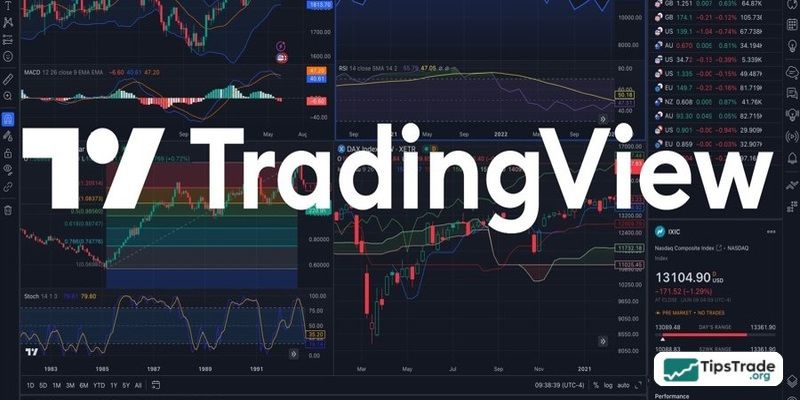
With a user-friendly and intuitive interface, TradingView allows users to monitor market movements, analyze price data, and share trading ideas with the community. In addition, the platform supports various asset types such as stocks, cryptocurrencies, forex, and commodities, along with powerful customization tools to build effective trading strategies. TradingView is not just an analytical tool but also a community that connects people passionate about finance and investing.
The formation and development process of TradingView:
- Created to simplify technical analysis
- Continuously expanding its features while supporting thousands of assets worldwide
- Integrated across web, mobile, and desktop versions to meet diverse user needs
Top powerful TradingView features
TradingView is equipped with a powerful set of features, making it a true “command center” for all trading activities.
Advanced Charting Tools
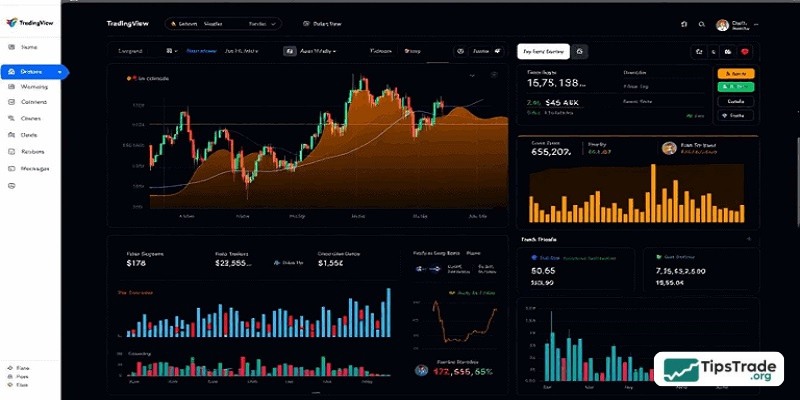
This is the “heart” of TradingView. The platform provides real-time chart data and supports dozens of chart types (candlesticks, bars, lines, Renko, Kagi, and more), along with extensive customization options for colors, layouts, time zones, and other display elements.
Technical Indicators
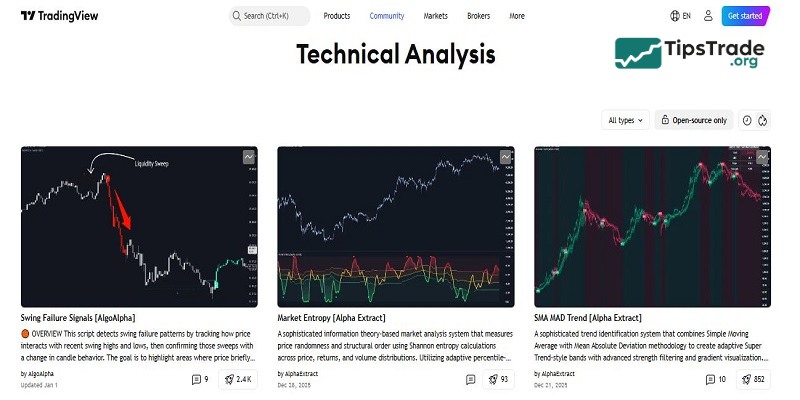
You can access a vast library of thousands of built-in technical indicators (MACD, RSI, Stochastic, Bollinger Bands, Moving Averages, etc.). Notably, TradingView also offers Pine Script, a proprietary programming language that allows you to create custom indicators or trading strategies tailored to your needs.
Stock/Crypto Screener
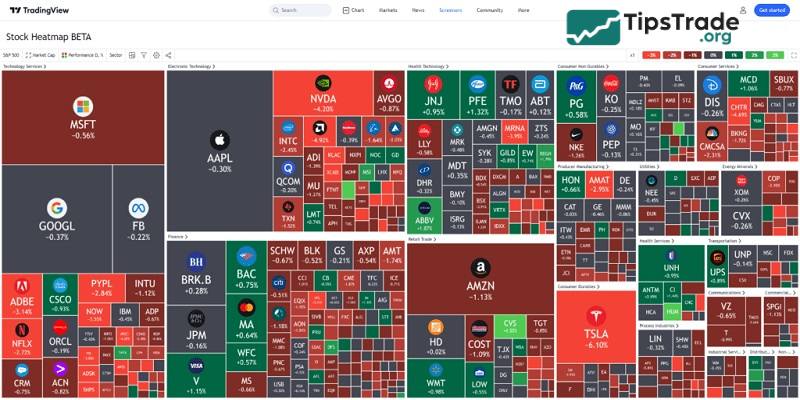
TradingView’s Screener is a powerful assistant for identifying trading opportunities. You can set hundreds of filtering criteria based on fundamental data, technical indicators, and price performance to quickly pinpoint assets that match your strategy, whether in stocks, forex, or crypto.
News and Real-Time Market Data
TradingView integrates leading news sources and an economic calendar, helping you stay updated on key events that may impact the markets. Live price data and economic indicators are continuously updated, ensuring you never miss critical information.
Custom Alerts and Notifications
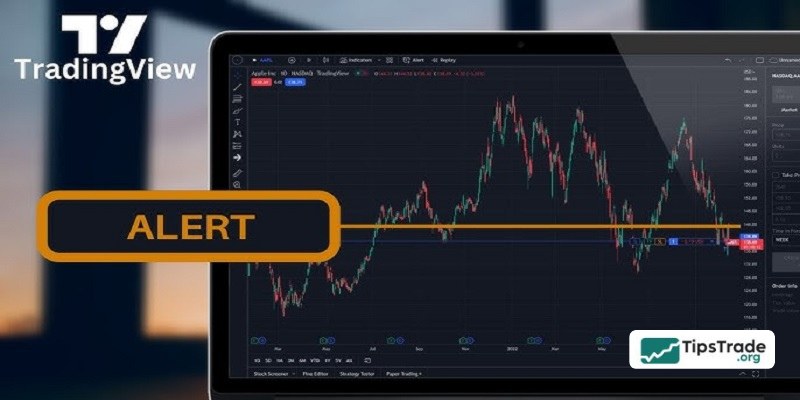
The Alerts feature allows you to set notifications when prices reach certain levels, indicators cross, or specific events occur. These alerts can be delivered via email, mobile push notifications, or sound, enabling you to respond promptly to market movements without constant monitoring.
Backtesting and Trading Strategies
With TradingView, you can evaluate the performance of trading strategies on historical data using the Strategy Tester. This helps you assess risk and profit potential before applying a strategy to live trading. Pine Script also enables you to code and test more advanced strategies.
Paper Trading
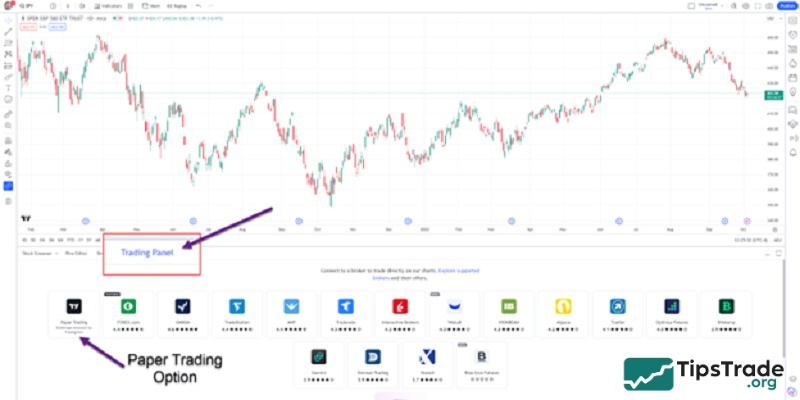
TradingView offers a safe simulated trading environment where you can practice your strategies using virtual funds. This is an excellent way to familiarize yourself with the platform, test trading ideas, and build confidence without any financial risk.
Social Network for Traders
One of TradingView’s standout features is its vibrant social community. Traders can share and discover trading ideas within a global network, fostering collaboration and learning. This community aspect allows users to engage in discussions, follow other traders, and access live streams, staying ahead of market trends and gaining insights from diverse perspectives. The ability to connect with like-minded individuals enhances the trading experience, providing a supportive environment for continuous improvement and strategy refinement.
Basic guide to using TradingView
To use TradingView at a basic level, users need to register an account and then access the main interface to customize charts according to their personal needs. The detailed instructions are as follows:
Interface Customization
TradingView is a powerful tool for traders and investors, offering many useful features for market analysis. To optimize your user experience, customizing the interface is an important step. You can adjust colors, layouts, and the tools displayed on the chart to match your personal trading style.
In addition, TradingView allows you to add technical indicators, set price alerts, and save your favorite chart layouts. Mastering these basic functions not only helps you work more efficiently but also supports more accurate trading decisions.
Adding Technical Indicators
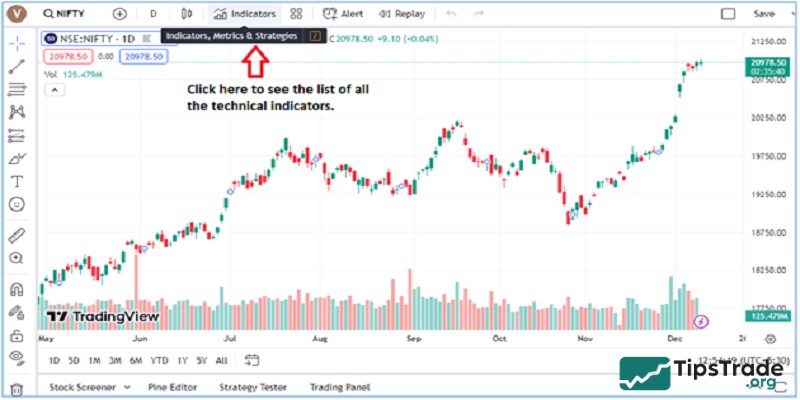
To add technical indicators on TradingView, follow these basic steps. First, open the chart you want to analyze. Then, on the top toolbar, select “Indicators”. Here, you will find a list of popular indicators such as RSI, MACD, Bollinger Bands, and many others. You can search for a specific indicator by typing its name into the search box or browse through the categorized list.
Once you have selected the appropriate indicator, click on it to add it to the chart. The indicator will automatically appear on the chart, and you can customize its parameters to suit your analysis needs. This is a crucial step in helping you make smarter and more accurate trading decisions.
Tips for using TradingView effectively
- Start with basic indicators to avoid information overload.
- Use watchlists to manage your investment portfolio.
- Combine multiple timeframes when analyzing the market.
- Refer to ideas from the community, but always maintain your own trading strategy.
Conclusion
In summary, mastering TradingView features can give traders a significant edge in today’s fast-moving financial markets. From professional-grade charts and customizable indicators to backtesting, alerts, and social trading tools, TradingView offers a comprehensive ecosystem for effective analysis and strategy development. By fully leveraging these TradingView features, traders can trade more confidently, stay informed, and continuously refine their skills for long-term success.
See more: