
TradingView broker integration is rapidly becoming a must-have feature for modern traders who want to analyze markets and execute trades seamlessly within a single platform. So in this post, we’ll cover how to connect brokers to TradingView integrations. Let’s get started!
Benefits of using TradingView broker integration
TradingView has evolved far beyond a mere social network for technical analysts. Nowadays, the platform now offers a seamless ecosystem for institutional-grade execution.
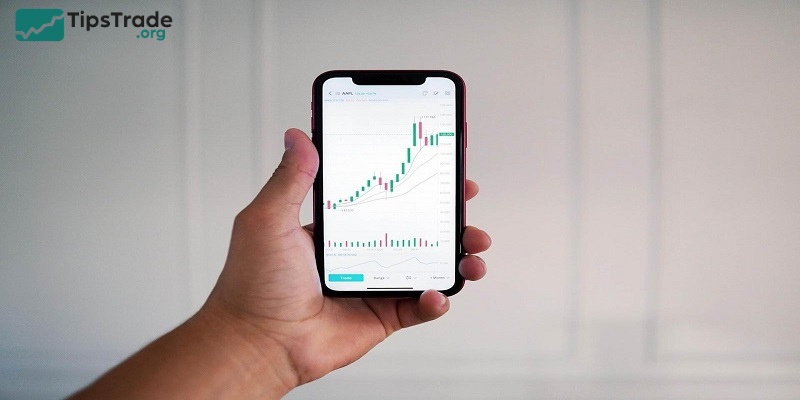
Trade directly on TradingView charts
One of the biggest advantages of TradingView broker integration is chart trading:
- Place Buy/Sell orders directly on the chart
- Drag and drop Stop Loss and Take Profit levels
- Modify orders quickly during volatile market conditions
This is especially useful for scalpers and day traders who require speed and precision.
See more:
- What is TradingView? A Platform Providing Visual Charts for Traders
- How to Customize TradingView Charts Professionally from A-Z
- How to Join and Use the TradingView Community Effectively for Traders
- TradingView Pricing 2026: A Comprehensive Review of Plans and New Features
Save time and optimize the trading workflow
TradingView broker integration allows traders to:
- Avoid switching between multiple platforms
- Reduce manual input and operational errors
- Eliminate price mismatches and execution delays
Everything, from analysis to execution and trade management, happens within one unified platform.

Leverage TradingView’s powerful analysis tools
By combining TradingView with broker integration, traders can:
- Access hundreds of built-in indicators
- Create custom indicators using Pine Script
- Perform multi-timeframe and multi-market analysis
- Use professional chart layouts
This analytical flexibility is something many traditional trading platforms struggle to match.
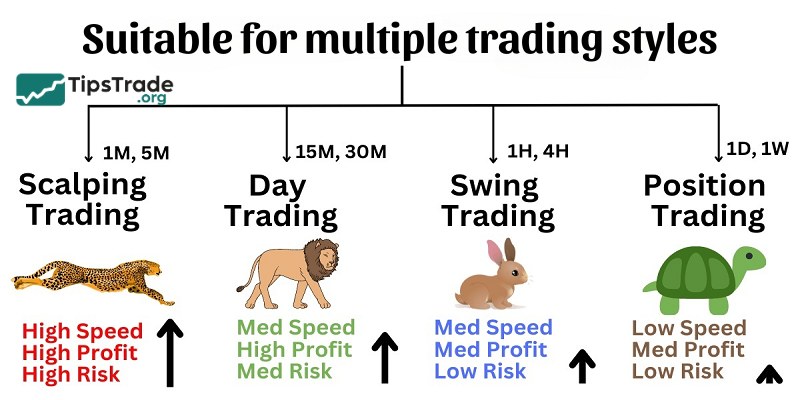
Suitable for multiple trading styles
TradingView broker integration works well for: beginner traders, swing traders, day traders, multi-market traders (Forex, crypto, stocks, indices).
Setting up TradingView broker integration
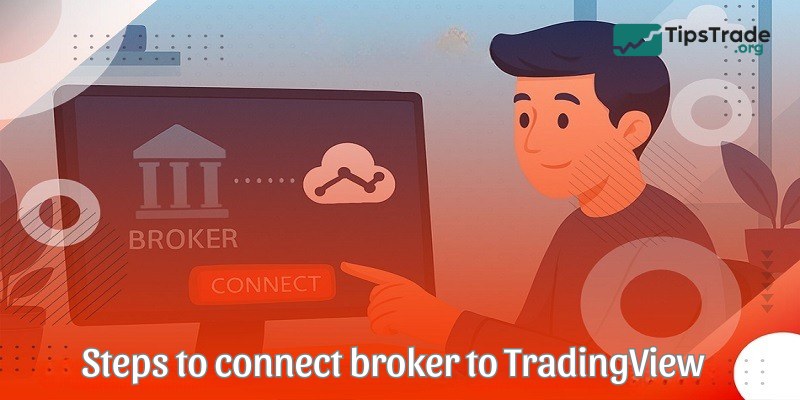
Here are the detailed step-by-step instructions of how to connect a broker to TradingView platform:
- Create a TradingView account if you haven’t already
- Navigate to the Trading Panel
- Select your preferred broker from the list
- Follow the authentication process
- Configure your trading preferences
- Start trading directly from charts
Popular brokers that support TradingView broker integration
Not every broker makes the cut. To be featured on TradingView, a broker must pass rigorous audits regarding technical latency, regulatory compliance, and reputation.
Traditional brokers
Interactive Brokers (IBKR)
Interactive Brokers stands out as one of the most comprehensive traditional brokers supporting TradingView integration. Known for its:
- Extensive market access across global exchanges
- Competitive commission ratesProfessional-grade execution quality
- Support for stocks, options, futures, forex, and bonds
- Advanced order types and algorithmic trading capabilities
Saxo Bank
Saxo Bank offers a premium trading experience with:
- Multi-asset trading capabilitiesStrong regulatory oversight
- Sophisticated trading tools
- Access to international markets
- High-quality research and analysis
Webull
Popular among newer traders, Webull provides:
- Commission-free trading for stocks and ETFs
- User-friendly mobile interfaceExtended trading hours
- Paper trading capabilitiesReal-time market data
Cryptocurrency exchanges
Binance
As the world’s largest cryptocurrency exchange, Binance offers:
- Extensive cryptocurrency pairs
- High liquidity across markets
- Competitive trading fees
- Advanced trading features
- Futures and options trading
Bybit
Bybit has gained popularity for its:
- Focus on cryptocurrency derivatives
- User-friendly interfaceHigh-performance trading engine
- Competitive leverage options
- Strong security measures
OKX
OKX provides traders with:
- Spot and derivative trading
- DeFi integrationMultiple order types
- Advanced charting capabilitiesInstitutional-grade security
Bitget
Known for its:
- Social trading features
- Copy trading functionality
- Comprehensive API support
- Multiple cryptocurrency pairs
- Low trading fees
Bitstamp
One of the oldest cryptocurrency exchanges, offering:
- Institutional-grade trading infrastructure
- Strong regulatory complianceFiat currency support
- High security standards
- Professional trading tools
Gemini
Founded by the Winklevoss twins, Gemini provides:
- Regulated cryptocurrency trading
- Insurance on digital assets
- Institutional-grade security
- Active developer API
- Multiple order types
Limitations of TradingView broker integration
While trading through TradingView is convenient, security should remain a priority:
- Enable two-factor authentication on both TradingView and broker accounts
- Regularly review authorized applications
- Monitor account activity
- Use strong, unique passwords
- Keep API access limited to necessary permissions only

Some tips for effective TradingView broker integration
To ensure a smooth and effective TradingView broker integration process, here are some helpful tips for you:
- Always verify your order details before execution
- Test the integration with small trades initially
- Keep your API keys secure and never share them
- Regularly check your broker’s connection status
- Monitor trading fees and commissions
- Use practice accounts when available
Conclusion
TradingView broker integration is no longer just a convenience. It’s a strategic advantage for traders seeking speed, efficiency, and precision in volatile markets. By combining professional-grade charting tools with direct order execution, TradingView bridges the gap between analysis and action like never before. Whether you’re a beginner looking for simplicity or an experienced trader aiming to streamline multi-market strategies, understanding and utilizing TradingView broker integration can significantly elevate your trading experience and help you stay ahead in an increasingly competitive landscape.
See more: