
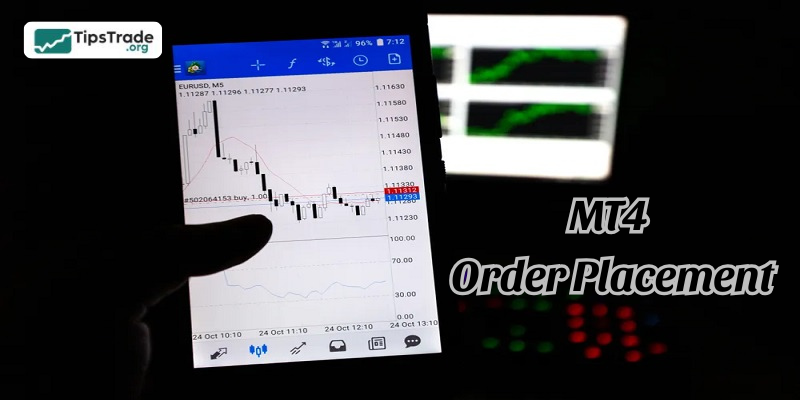
MT4 order placement is one of the most essential skills every trader needs to master when participating in the financial market. Whether you are a beginner learning the basics or an experienced trader refining your execution strategy, understanding how to place, manage, and modify orders on MetaTrader 4 can significantly impact your trading performance. In this complete step-by-step guide from A–Z, we will walk you through all order types on MT4, explain how to execute trades correctly, and help you avoid common mistakes that traders often encounter.
Overview of the MT4 trading platform
MetaTrader 4 (MT4) is an electronic trading platform widely used by forex traders, CFD (Contract for Difference) traders, and participants in other financial markets. MT4 is popular thanks to its user-friendly and easy-to-use interface, a wide range of powerful technical analysis tools, and the ability to automate trading through Expert Advisors (EAs).
See more:
- MT4 vs MT5: Which Platform Should Traders Choose?
- TradingView vs MT4: Which Platform Is Right for You?
- How To Install EA Into MT4? A Step-By-Step Guide
- Discover the top 6 indicators in MT4 that are widely used
MT4 order placement: Important terms you need to know
Understanding important terms when MT4 order placement is essential for effective trading and managing your strategy. Here’s a summary of important terms you need to know when placing orders on MT4:
- Market Order: This is an instruction to buy or sell a financial instrument immediately at the current market price. Market order is the simplest type of order, often used by traders who want to enter or exit a position quickly.
- Pending Order: This is an instruction to buy or sell a financial instrument at a specified price in the future.
- Stop-Loss (SL): This order automatically closes a trade if the market moves against your prediction to a certain price level. Stop-Loss (SL) is a risk management tool that helps limit potential losses.
- Pip: Abbreviation for Percentage in Point. This is the smallest unit of price fluctuation measurement in forex trading. For most currency pairs, a pip is located in the fourth decimal place (0.0001), except for pairs with JPY, where a pip is located in the second decimal place (0.01).
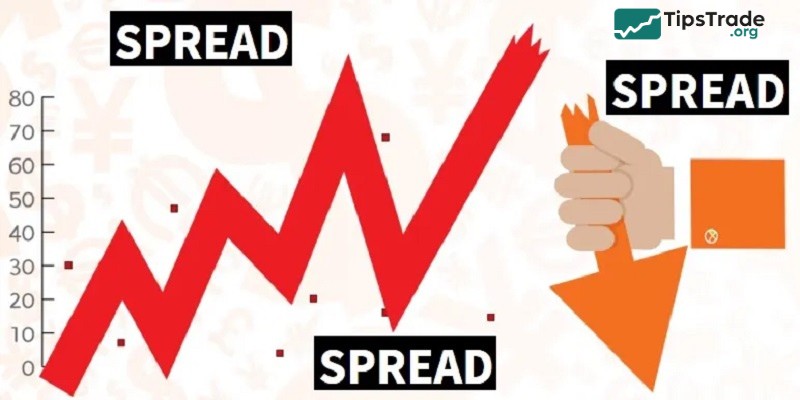
- Spread: This term refers to the difference between the Bid (selling price) and Ask (buying price) of a currency pair. This is a transaction cost and an important factor to consider in a trading strategy.
- Leverage: This tool allows traders to control a position much larger than the actual capital in their account. Leverage is expressed as a ratio, for example 100:1, which means you can trade 100,000 USD with only 1,000 USD in margin.
- Margin: Margin is the amount of money required to open and maintain a leveraged position. When you enter a trade, a portion of your account balance is set aside as the margin.
- Slippage: Slippage occurs when an order is executed at a price different from the requested price, typically during periods of high volatility or low liquidity.
Common types of orders on MT4
MT4 order placement? To help investors execute their trading strategies more effectively, the MetaTrader 4 (MT4) platform offers a variety of different order types. Each order type provides a unique way to interact with the market, giving investors flexibility in managing their positions. Here’s a detailed overview of the most common MT4 order types:
Buy-limit order
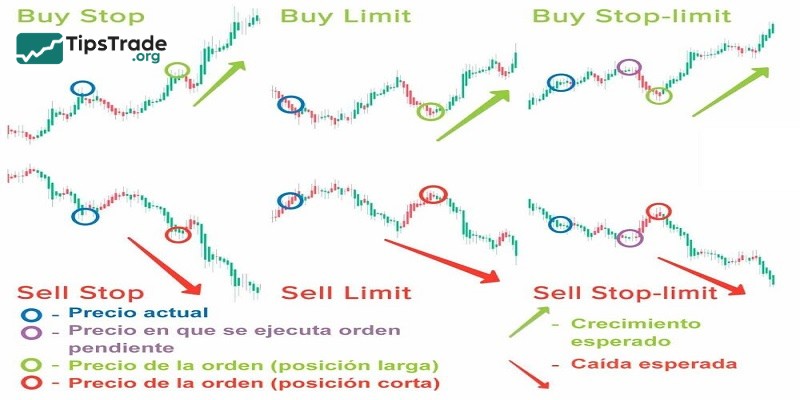
Buy Limit is a type of limit order used when you want to open a buy position. Simply put, it means you want to buy an asset at a price lower than the current market price. In technical analysis, traders often place buy orders at strong support zones because when the price reaches these levels, it tends to bounce back upward.
- Example: The current price of gold is $1,700. However, you think this price is too high and believe that when gold drops to $1,600, the price will rise again.
- You have also identified $1,600 as a strong support zone. In this case, you just need to place a Buy Limit order at $1,600, and the order will be triggered automatically when the price reaches that level.
Sell-limit order
Sell Limit is a type of limit order used when you want to open a sell position. In other words, it means you want to sell an asset at a price higher than the price you bought it. In technical analysis, traders often place sell orders at strong resistance zones because the price tends to drop when it reaches these levels.
- Example: You bought gold at $1,700. You want to sell gold at $1,800, or you have identified $1,800 as a resistance level.
- In this case, you just need to place a Sell Limit order at $1,800. After that, all you have to do is wait for the order to be triggered automatically.
Buy-stop order
A Buy Stop is a pending buy order placed at a price higher than the current market price. This order is triggered and becomes a market order when the price reaches or exceeds the Buy Stop level you have set. It is commonly used to enter a trade when the price breaks above a key resistance level, anticipating that the uptrend will continue.
Sell-stop order
A Sell Stop is a pending sell order placed at a price lower than the current market price. This order is triggered and becomes a market order when the price reaches or falls below the Sell Stop level you have set. It is commonly used to enter a trade when the price breaks below a key support level, anticipating that the downtrend will continue, or to set a stop-loss order for a buy position.
Stop-loss order
This is not an independent order type but rather a supplementary tool for open positions (market orders or pending orders). It automatically closes the trade when the market moves against your prediction by a certain amount, helping to limit potential losses. This is an extremely important risk management tool and is used by most traders.
- For example: If you buy the EUR/USD pair at a price of 1.1800 and set a Stop-Loss at 1.1750, your trade will automatically close when the price drops to 1.1750, thus limiting your losses.
Take-profit order
Similar to the Stop-Loss order, the Take-Profit order is also an additional tool for open positions. It automatically closes the trade when the market reaches a certain profit level, helping you lock in profits without having to constantly monitor the market.
- For example: If you buy the EUR/USD pair at a price of 1.1800 and set a Take-Profit at 1.1850, your trade will automatically close when the price reaches 1.1850, thus securing your profit.
Step-by-step guide to MT4 order placement
MT4 order placement: Here’s a detailed step-by-step guide you can refer to.
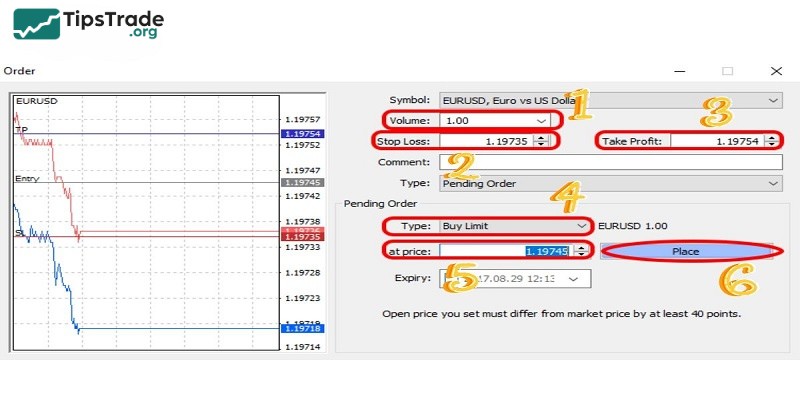
- To start the order window, press F9 or click “New Order” on the toolbar. Then right-click on the chart and select “New Order”.
- Select your desired trading instrument from the “Symbol” drop-down list.
- Select “Market Execution” for immediate trades or “Pending Order” for future trades.
- This step is quite important, place your market order carefully and thoroughly. Set the volume and then optionally add “Stop Loss” and “Take Profit”. Continue to click “Market Buy” or “Market Sell”.
- Wait for the order and then select the 4 items you want including “Buy Limit”, “Sell Limit”, “Buy Stop” or “Sell Stop”. Once selected, set the entry price and volume and then click “place”.
- Finally, monitor, modify as you wish or close the order in the “terminal” window under the “trade” tab and you are done.
MT4 order placement: Common errors and how to fix them
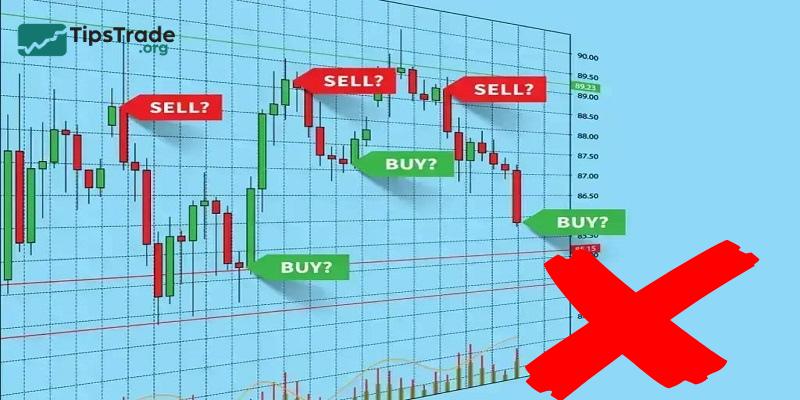
MT4 order placement, it’s common for MT4 order types traders, especially beginners, to make certain mistakes. Below is a list of common mistakes and how to avoid them:
- Using the wrong order type: Confusing market orders with pending orders. For instance, placing a market order when you intend to set a pending limit or stop order.
- Incorrect lot size: Entering the wrong lot size can lead to over-leveraging or under-sizing trades, increasing the risk or reducing potential profit.
- Failure to set SL/TP: Many traders either forget or intentionally avoid setting a stop loss and take profit levels, leading to emotional decision-making.
- Incorrect SL/TP levels: Setting the stop loss too tight or too far can lead to premature exits or excessive risk exposure. Similarly, setting a take profit too far may result in missing realistic profit targets.
- Not accounting for spread: Failing to account for the spread (the difference between bid and ask prices) can result in orders being triggered too early or not at all.
- Over-trading: Placing too many orders at once can result in losing control over your portfolio and increase exposure to risk.
- Improper use of leverage: High leverage magnifies both potential profits and losses. Over-leveraging can wipe out an account quickly if the trade moves against you.
- Forgetting to check expiration on pending orders: Forgetting to set an expiration date for pending orders can result in orders being triggered unexpectedly after market conditions have changed.
- Wrong symbol selection: Entering an order on the wrong symbol (e.g., trading EUR/USD when you intended to trade GBP/USD).
Conclusion
Mastering MT4 order placement not only helps you execute trades accurately but also plays a crucial role in risk management and overall trading success. By understanding market orders, pending orders, stop loss, take profit, and order monitoring on MT4, you can trade with greater confidence and discipline. Apply the step-by-step knowledge from this guide to improve your trading efficiency, reduce errors, and make better-informed decisions in the financial markets.
See more: