
Knowing how to place MT5 orders is an essential skill for any trader who wants to take advantage of short-term market movements and maximize their trading potential. Let’s explore the step-by-step process of placing an order on MT5 with Tipstrade.org in the article below!
Detailed guide on how to place MT5 orders
Download MT5
Before learning how to place MT5 orders, let’s first start by downloading the MetaTrader 5 platform from a reliable source. You can find the direct download link on the website of your chosen broker.
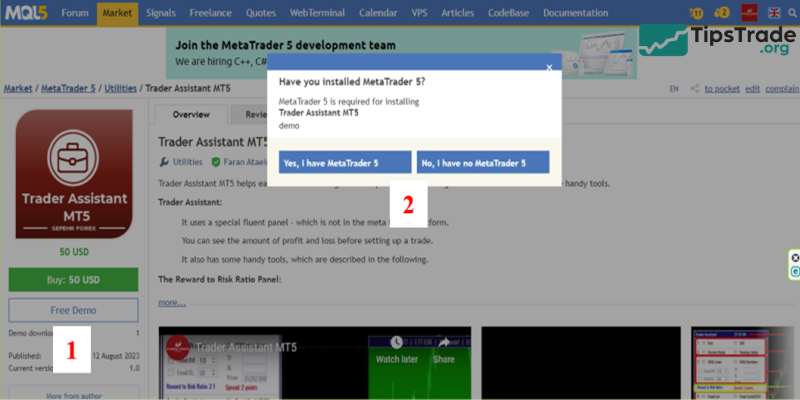
Create or login to the account
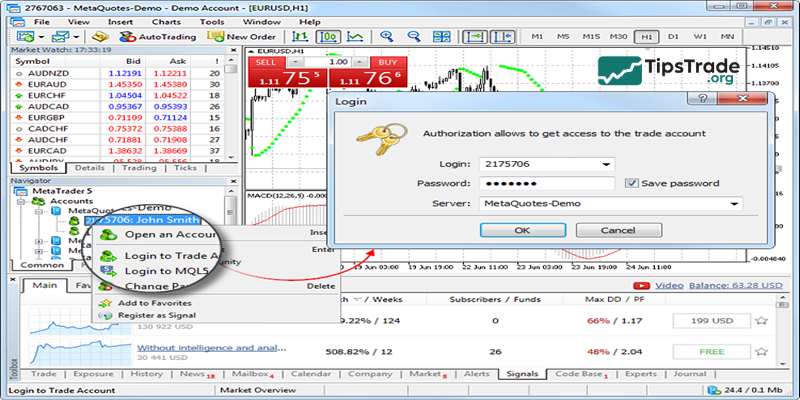
After installation is complete, open the MT5 platform. If you already have an account with a broker, please log in using your existing information. If you don’t have one already, you’ll need to create a new account with a broker that supports MT5.
Set up workspace
When you log in, you will see the workspace on MT5. You can customize the layout according to your preferences: for example, the arrangement of charts, the Market Watchlist, and support tools,…to suit your trading style.
Choose the trading instrument
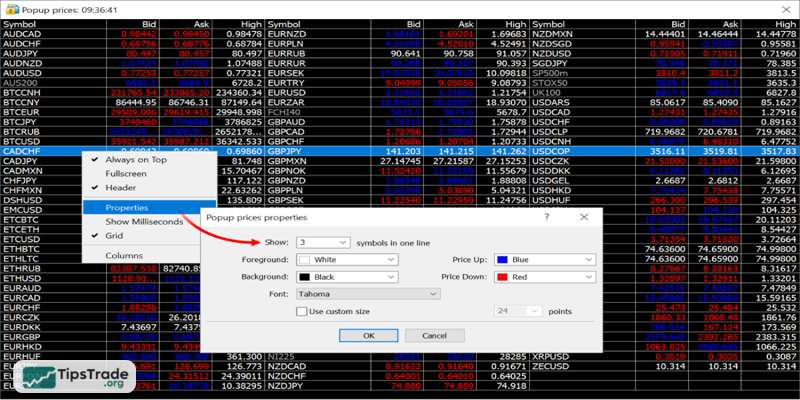
You can see a list of available trading instruments such as currency pairs, stocks, commodities, and indices in the Market Watch window. To display all available instruments, right-click within this window and select Show All. Double-click the instrument you want to trade to add it to the list.
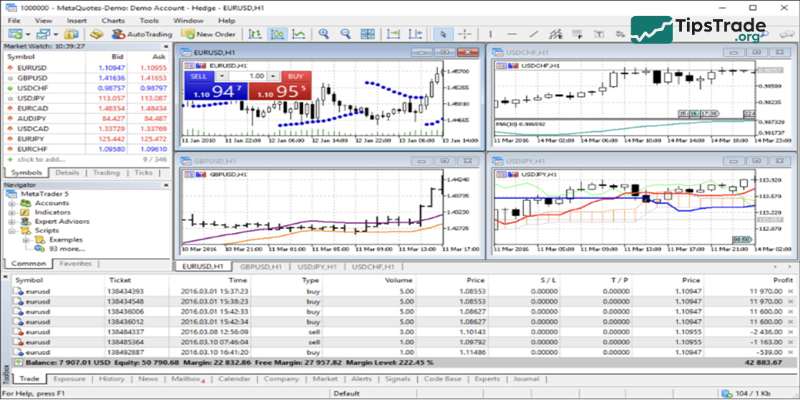
Open a new order
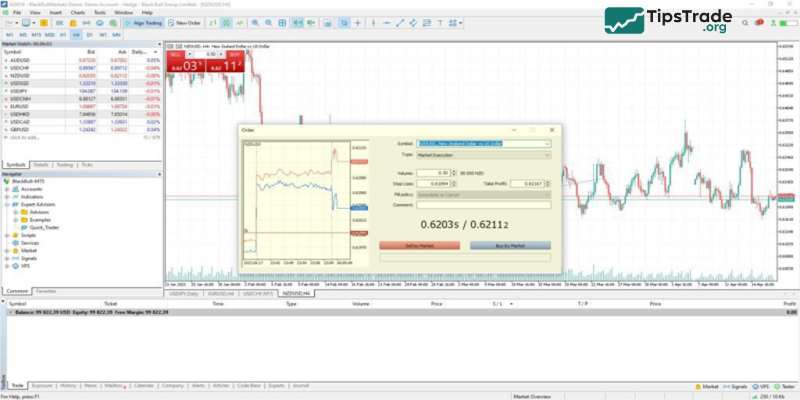
To open a new order, you can either click the New Order button in the toolbar or right-click on the desired instrument in the Market Watch window and select New Order.
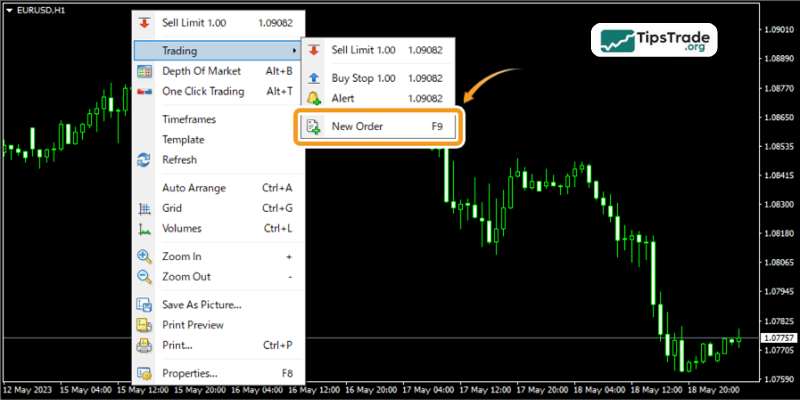
Customize the trade
You will see various parameters that need to be configured in the New Order window:
- Choose the trade volume (lot size) one wishes to trade.
- Select the order type (market order, pending order, etc.).
- Set the stop loss and take-profit levels if desired.
- Specify any additional parameters, such as order expiration.
- Review and confirm the trade details before proceeding.
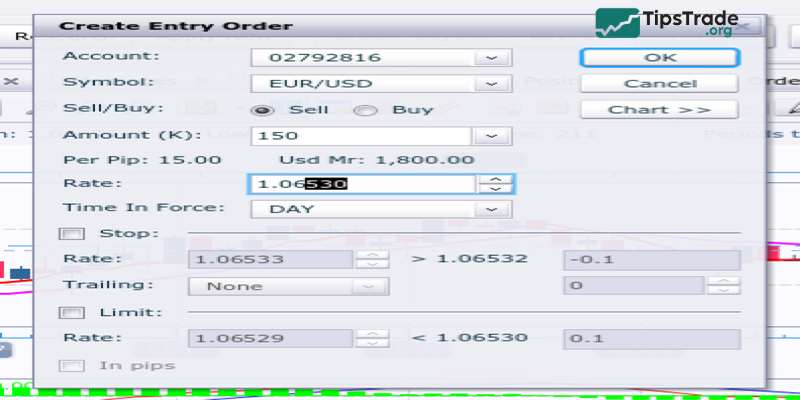
Execute the trade
Once you have configured the trade according to your preferences, click on the Buy or Sell button to execute the trade. In case you are placing a pending order, specify the conditions under which the order should be triggered.
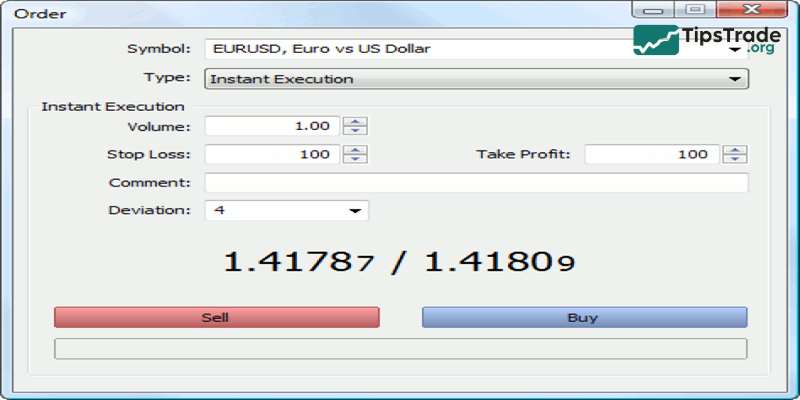
Monitor the trade
After the order is executed, you can track its progress in the Trade tab of the Terminal window. Here, the order status, entry price, stop-loss, take-profit, profit/loss, etc., are displayed.
Modify or close the trade
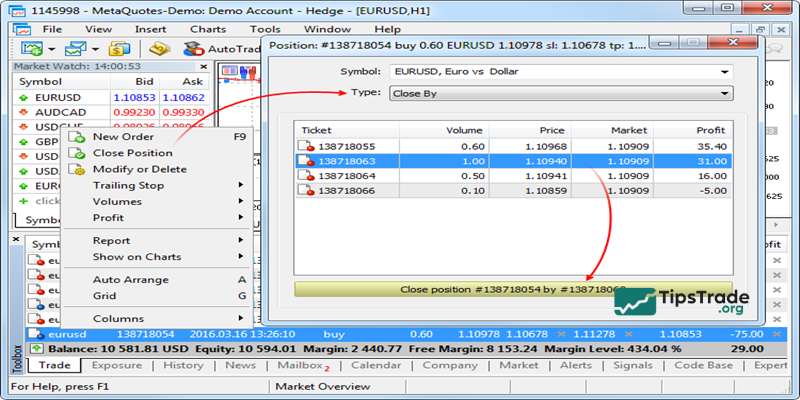
If you need to modify an order (for example, change the stop-loss, take-profit, or other parameters) right-click on the order in the Trade tab and select Modify or Delete Order.
To close an order, right-click on the order and select Close Order.
Review trading history
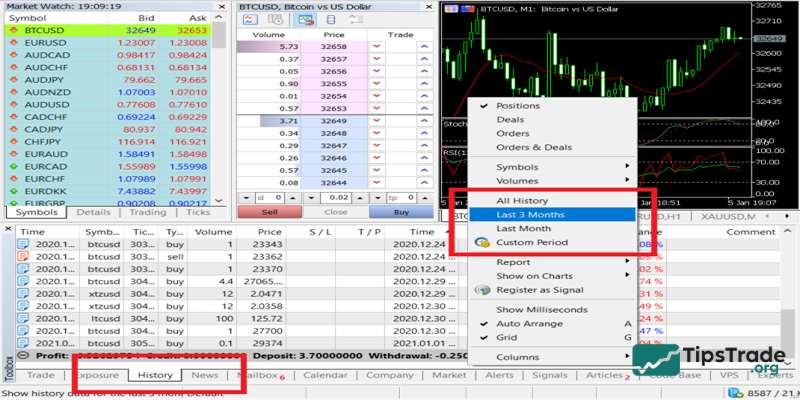
To review trading history, navigate to the Account History tab in the Terminal window. Here, you will find a record of all their trades, including entry and exit times, trade duration, and gain/loss.
Advantages and risks when placing orders on MT5
Advantages when placing orders on MT5
- One-click trading: MT5 offers a one-click trading feature, allowing investors to execute orders quickly without having to navigate through multiple screens or confirmation dialogs. This is particularly useful for frequent investors who need to enter and exit orders quickly.
- Multiple Order Types: MT5 supports various order types, including market orders, limit orders, and stop orders. This flexibility allows investors to apply a variety of trading strategies and manage positions more effectively.
- Real-time quotes: MT5 provides access to real-time quotes from various financial markets such as forex, stocks, commodities, and indices. Having up-to-date market data helps investors make accurate decisions and respond promptly to market fluctuations.
Risks when placing orders on MT5 should be considerd
- Technical Errors: Like any software, MT5 can experience technical errors or crashes. These errors can disrupt the trading process, leading to missed opportunities or the generation of unwanted orders. Investors should be prepared to face technical issues and have backup plans to minimize the impact.
- Execution Speed: The speed of order execution on MT5 can vary depending on many factors such as internet speed, server latency, and market volatility. Slow execution speed can lead to delays or slippage, affecting trading profits, especially in highly volatile markets.
- Slippage: Slippage occurs when the execution price differs from the price requested by the trader. Although this can happen on any trading platform, it is often more noticeable during periods of high volatility or when liquidity is low. Investors should be fully aware of this risk and consider risk management techniques such as using limit orders or setting price limits.

Balancing trade opportunities with caution on MT5
Thanks to its basic to advanced charting capabilities and simple order execution process, MT5 is considered a suitable trading platform for both beginners and experienced traders. However, despite MT5’s many advantages such as fast order execution speed and wide market access, the platform also carries potential risks like technical errors or changes in execution speed. Therefore, traders need to trade cautiously and apply risk management strategies when using MT5, leveraging the platform’s strengths to seize opportunities while minimizing potential risks.
In the article above, Tipstrade.org has helped you understand the necessary steps and things to keep in mind about how to place MT5 orders. Wishing you success in your execution!
See more: