

How to backtest on MT5 is a critical skill that every serious trader needs to master before risking real capital in the market. In this article, Tipstrade.org will guide you step-by-step on how to backtest on MT5 to turn past data into future profits. Let’s get started!
The reasons Pro Traders never skip backtesting on MT5
Before diving into the detailed guide on how to backtest on MT5, it’s important to clearly understand what backtesting really is. Accordingly, backtesting is the process of running a trading strategy or an Expert Advisor (EA) on historical data to see how it would have performed in the past.
Professional traders always advise participants: “Don’t trust your feelings, trust the data.”
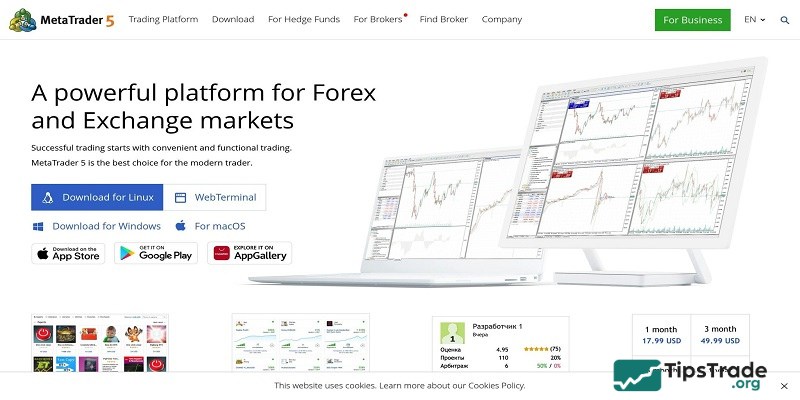
Unlike its predecessor MT4, MetaTrader 5 (MT5) is a powerful trading simulation engine with standout advantages highly valued by MQL5 developers and professional traders:
- Multi-threaded: Fully utilizes CPU power to deliver much faster testing speeds.
- Multi-currency: Allows backtesting across multiple currency pairs simultaneously (portfolio backtesting).
- Real Ticks: Supports real tick data instead of simulated ticks, increasing accuracy up to 99%.
>>See more:
- What is MT5? Basic Guide on How to Use the MT5 Trading Platform
- How to backtest on MT4 like a pro: The ultimate guide for beginners
- What is MT5 EA? Guide on how to install and use MT5 EA in detail
- How to Code Pine Script: Ultimate Beginner’s Guide
What do traders need to prepare before backtesting on MT5?
Backtest results are only reliable when the input data is accurate. If you use poor-quality data, the output will be poor as well (“Garbage In, Garbage Out”).
To ensure an effective how to backtest on MT5 process, follow these steps to prepare your data:
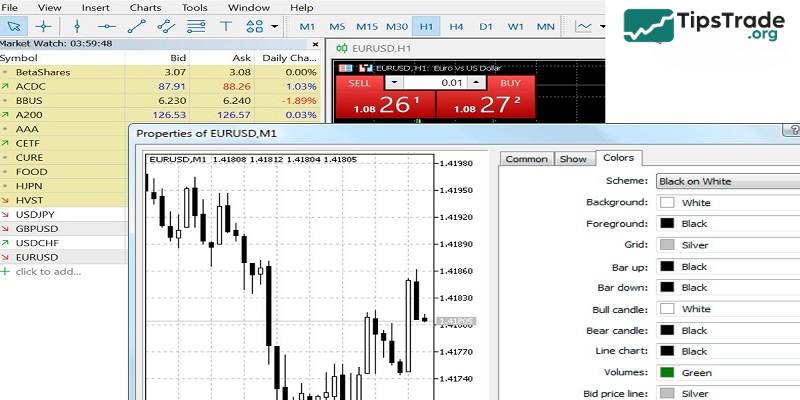
- Open MT5 and go to View → Symbols (or press Ctrl + U).
- Select the currency pair you want to test (e.g., EURUSD), then switch to the Bars or Ticks tab.
- Click Request to download historical data from your broker’s server.
- Pro tip: For the most accurate results, especially with scalping strategies, always try to use Tick Data instead of standard M1 candle data.
How to backtest on MT5
The tool we use is the Strategy Tester. Below is the most standard how to backtest on MT5 workflow for you to follow and apply:
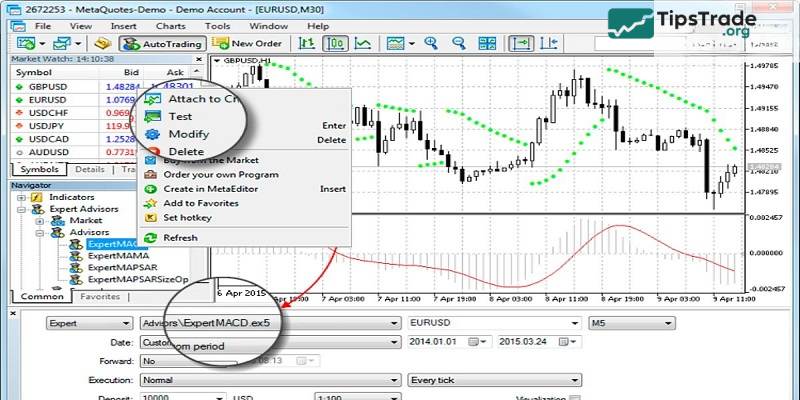
Step 1: Launch the Strategy Tester
On the Metatrader 5 (MT5) interface, press Ctrl + R or go to View → Strategy Tester.
Step 2: Configure the parameters (Settings)
In the Overview or Settings tab, you need to fill in the following key parameters:
- Expert: Choose the Expert Advisor (EA) or indicator you want to test.
- Symbol: Select the currency pair (e.g., XAUUSD, GBPJPY).
- Timeframe: Operational strategic timeframe (M15, H1, H4…).
- Date: Select the time period (It’s recommended to test at least 1-2 years to see market cycles).
- Forward trade: Choose “No” if you are just starting out (For advanced optimization).
- Delays: Choose “Zero latency” for ideal testing, or “Random delay” to simulate real-world slippage.
Step 3: Select Modeling Mode
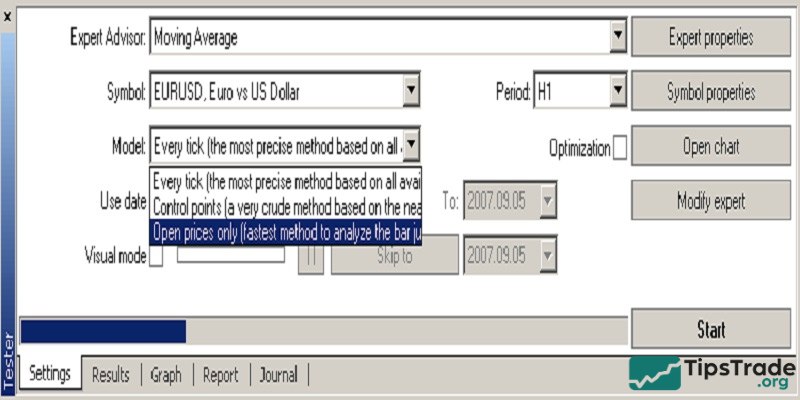
This is the crucial part for accuracy in the “how to backtest on MT5” process:
- Every tick based on real ticks: Most accurate but slowest. Best for price-sensitive EAs.
- Every tick: Simulated ticks based on M1 candles. Good enough for most EAs.
- Open prices only: Trades are executed only at the open price. Fastest, suitable only for EAs that enter trades on new candle opens.
Step 4: Visual Mode
If you want to see how the bot executes trades on a moving chart, check “Visual mode with the display of charts.” This helps you visually detect logical errors in the EA.
Step 5: Run and review the backtest
Click Start and wait for MT5 to process the backtest.
How to read a backtest report on MT5
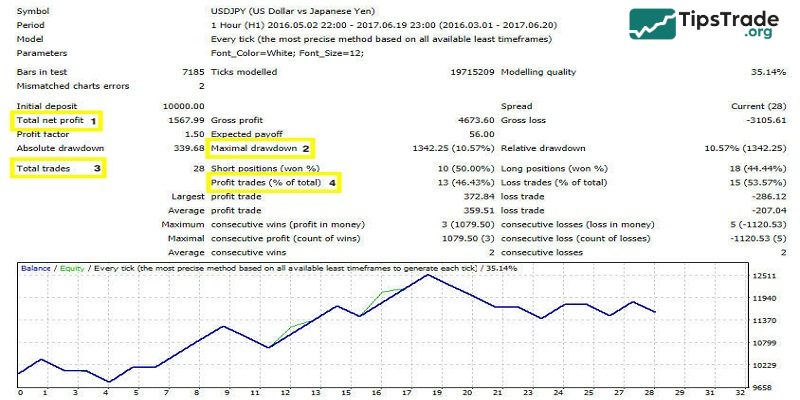
After the MT5 backtesting process is completed, the Backtest tab will appear. Professional traders advise that you should not focus solely on Total Net Profit. Instead, pay close attention to the following critical metrics:
Drawdown (DD)
- Meaning: The maximum account decline.
- Advice: Keep it below 20–30%. If DD exceeds 50%, the strategy is considered too risky.
Profit Factor
- Meaning: Total profit divided by total loss.
- Advice: It must be greater than 1.0; ideally 1.5 or higher.
Recovery Factor
- Meaning: The strategy’s ability to recover after losses.
- Advice: The higher, the better.
Total Trades
- Meaning: The total number of executed trades.
- Advice: It should be sufficiently large (over 100 trades) for the results to be statistically meaningful.
Activating Optimization Mode in MT5
Another powerful feature is Optimization. Instead of running once, MT5 will run thousands of times with different input parameters to find the “golden” set of parameters that yields the highest profit. Here’s how to do it:
- In the Strategy Tester, switch the mode from “Single” to “Fast genetic based algorithm”.
- In the Inputs tab, check the variables you want to change (e.g., Stoploss, TakeProfit).
- Press Start and wait for MT5 to scan through the possibilities to find the optimal configuration.
Frequently asked questions about how to backtest on MT5
Below are answers to some common questions traders often encounter when learning how to backtest on MT5:
- How do I make sure the historical data in MT5 is accurate and reliable for backtesting?
To make sure your historical data in MT5 is reliable for backtesting, connect to a broker known for providing reliable historical data. It’s important that the data spans several years to capture various market conditions, including trends, periods of volatility, and shifts in economic cycles.
You should also confirm that the data is complete and doesn’t have any gaps. To do this, download it directly through the MT5 platform and refresh it in the History Center. This step minimizes errors and boosts the accuracy of your backtesting outcomes.
- Why are my backtest results different from live trading results?
The differences usually come from factors such as variable spreads, slippage, the broker’s execution speed, and the quality of the historical data you are using.
- Can I backtest an indicator without coding an EA?
Yes, but MT5 only allows you to visually replay how the indicator behaves on historical data (via Visual Mode). To automatically calculate wins and losses, you must know MQL5 programming or hire a developer to convert the indicator into an EA.
- What is the difference between 90% and 99% Modeling Quality?
90% modeling quality is typically based on data generated from M1 candles. 99% (or 100% real ticks) uses actual tick-by-tick price data that has been recorded, providing near-perfect accuracy relative to historical market behavior.
Final word
Every strategy has its own strengths and risks, so you need to carefully evaluate and choose the one that best suits your trading style. By backtesting these strategies on the Metatrader 5 (MT5) platform, you can improve your ability to anticipate market movements and make better decisions across different market conditions. Wishing you successful trading!