

How to backtest on MT4? This is a simple yet effective process that helps you apply your strategy to past price history to see how it performed. In this article, we are going to take a deep look at the process of backtesting on MT4 and how you can carry it out yourself. Let’s get started!
What is backtest on MT4?
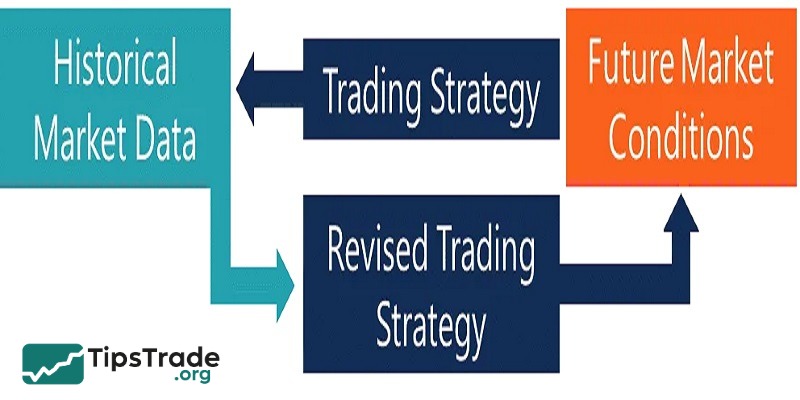
Backtest or Backtesting is the process of using historical market data to simulate and evaluate the performance of a trading strategy. In other words, you “turn back time” and apply your trading strategy to historical price data to see how well it would have performed.
The backtest results will provide metrics such as win rate, profit, loss, and risk indicators, helping you understand whether the strategy is promising before applying it to live trading.
>>See more:
- What is MT4? A detailed guide on how to download and use MT4
- How To Install EA Into MT4? A Step-By-Step Guide
- Discover the top 6 indicators in MT4 that are widely used
- MT4 vs MT5: A Detailed Comparison – Which Platform Should Traders Choose?
How does backtesting help traders?
Backtesting with MT4 brings for traders many benefits, some of them are:
- Identifies optimal parameters: Backtesting helps identify the right settings for a trading strategy. It allows traders to adjust parameters such as stop-loss levels, take-profit targets, or indicators to improve performance.
- Saves time and costs: Backtesting allows traders to test strategies without executing live trades. It saves time and money by preventing costly mistakes that could happen in real-time markets.
- Increases confidence: Backtesting builds confidence in a strategy’s potential. Traders can feel more confident when they see positive results from historical performance, which can improve their decision-making in live markets.
Stepwise guide to backtest on MT4
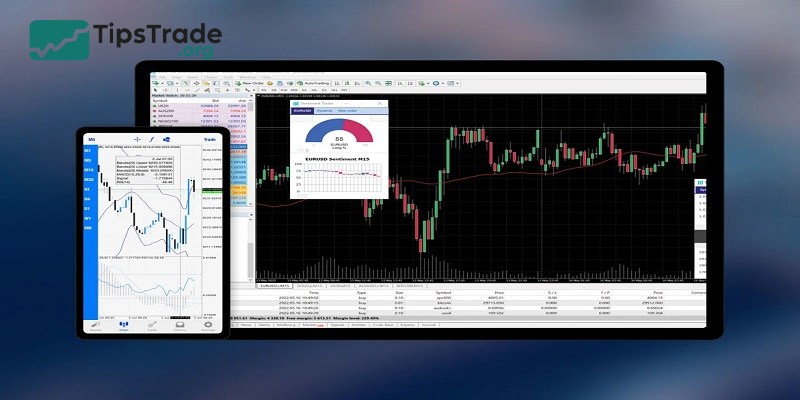
The process itself is quite simple. It does not require any skills or experience. You will only need to follow these easy steps:
Understand the problem with default history data in MT4
To ensure accurate backtesting on MT4, you should not use the default historical data on this platform as it is unreliable. MT4 uses bar data to simulate ticks, which can lead to inaccuracies, especially with fast-moving strategies like scalping. This data does not cycle through each tick delivered in historical data, resulting in a flawed performance analysis.
Choose a third-party tick data provider
To overcome the above limitations, you should use tick data from third-party providers. These providers offer high-quality, detailed tick data, enabling more accurate backtesting. Choose the right provider based on the exchange you use or the range of historical data you need.

Download Tick Data Suite (TDS)
Download and install Tick Data Suite (TDS). This is a tool that enhances MT4’s backtesting capabilities. TDS offers access to high-quality tick data for accurate backtesting.
Select the broker and data source
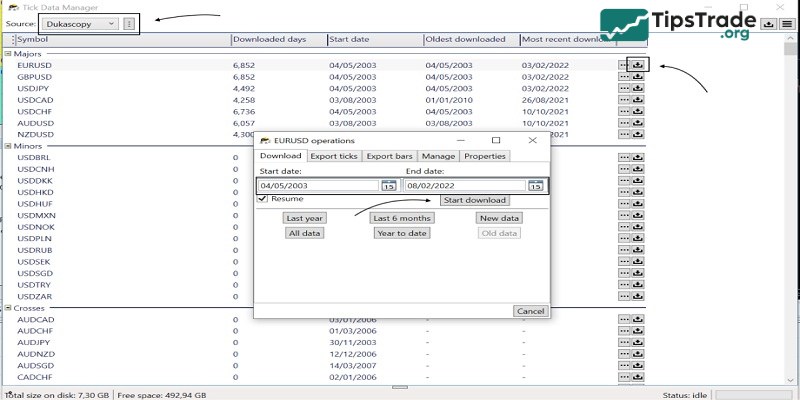
After installing TDS, open Tick Data Manager. Choose a broker and select the currency pair and time period for which you want to download tick data. Click the download icon and specify the time range to get the data.
Select the time period for data download
Determine the historical data range one needs for the backtest. This is a time period that can be said to be extremely important if you want to test a strategy over extended periods. TDS allows traders to specify the exact timeframe for accurate historical data.
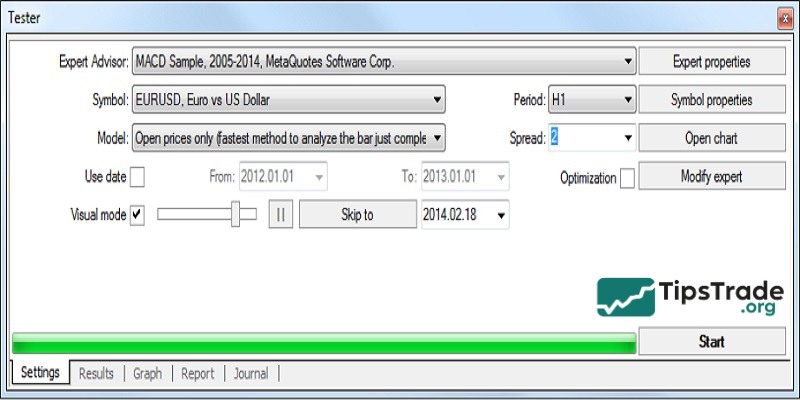
Close MT4 and reopen after downloading data
Once the tick data has finished downloading, close the MT4 platform if it was open during the loading process. Then reopen MT4 to ensure that MT4 correctly integrates the new data, making it available for backtesting.
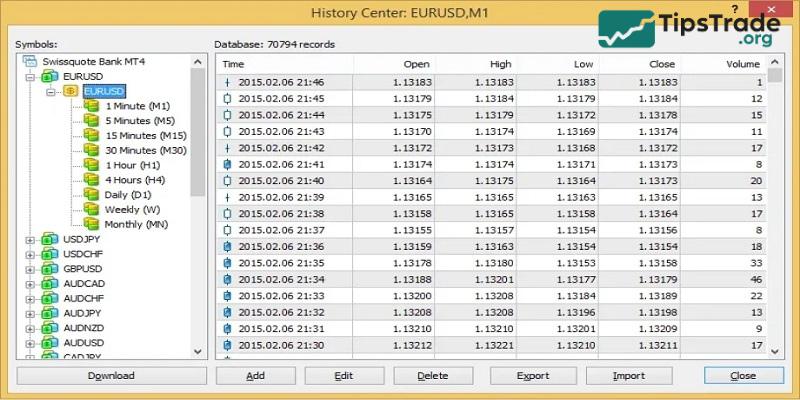
Enable tick data in Strategy Tester
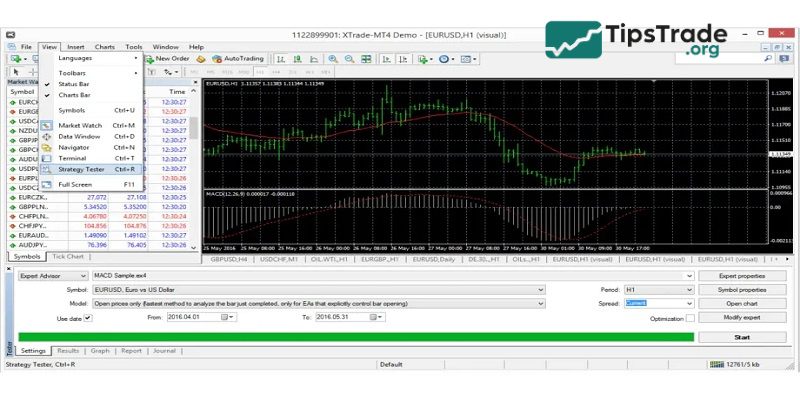
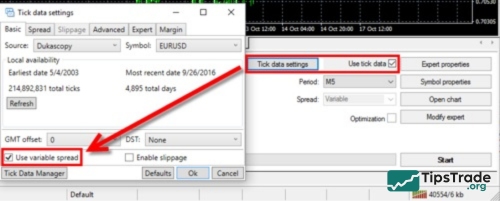
After reopening MT4, go to the Strategy Tester. Check the box labeled “Use Tick Data” to enable third-party tick data for backtesting. Doing so helps ensure that the backtesting process uses high-quality, detailed tick data instead of the default bar data.
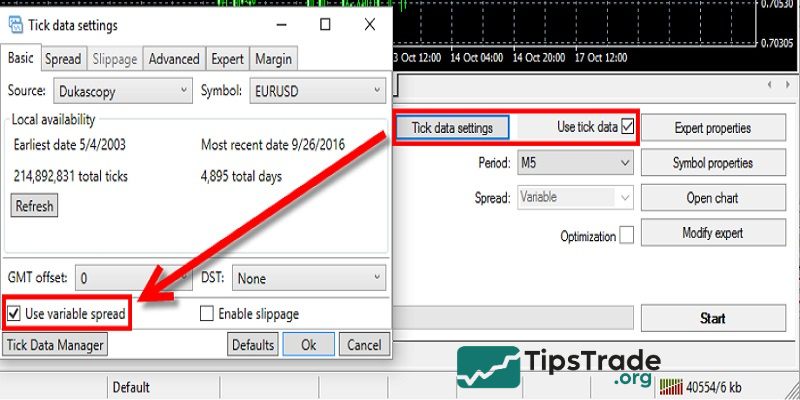
Select ‘Every tick’ testing model
Choose the Every tick model for backtesting in Strategy Tester. This option ensures that the tester uses all ticks for each bar, simulating the market more accurately to evaluate performance in detail.
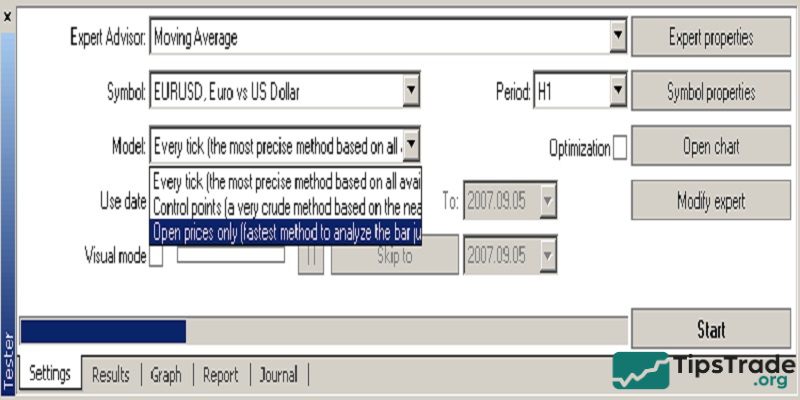
Set the spread option
In the Strategy Tester, set the spread option. Choose Variable Spread to reflect actual market conditions. Here, the spread will change dynamically based on market volatility and liquidity, rather than using a fixed spread.
Emulate real trading conditions
Go to the Tick Data Settings in TDS to simulate realistic trading conditions. Enable the “Use variable spread” option and select “Enable slippage“. This will recreate real market conditions, including potential delays and price deviations during live trading.
Configure settings
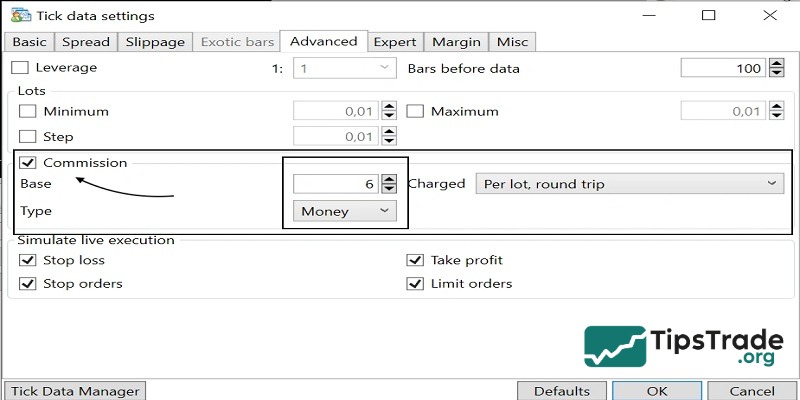
In the Basic tab of the Tick Data Settings, adjust the broker’s GMT offset and daylight savings time. Also, enable the Commission option and input the broker’s commission fees to model transaction costs accurately in the backtest.
Run and review the backtest
Finally, run the backtest on MT4 using the ‘Every tick’ model with variable spread and slippage. Review the results to evaluate the trading strategy’s performance under realistic market conditions.
Limitations of backtesting on MT4 that consider
Unfortunately, backtesting with MT4 has some crucial downsides you need to keep in mind while using the platform:
- Data quality issues: Backtesting results depend on the quality of historical data. Inaccurate or incomplete data can lead to misleading results, which can affect the reliability of strategy evaluations.
- Overfitting risk: Backtesting may lead to overfitting, in which a strategy is excessively tailored to past data. This can result in poor performance in live markets, as the strategy doesn’t adapt well to new market conditions.
- No account for slippage: Backtesting doesn’t always factor in slippage (the difference between expected and actual execution prices). This can lead to overly optimistic performance predictions.
Conclusion
Above is everything about how to backtest on MT4 for your reference. Hopefully, these insights will be helpful to you throughout your investment journey. In addition, don’t forget to visit Tipstrade.org to stay updated with the latest knowledge on investing and finance every day!