
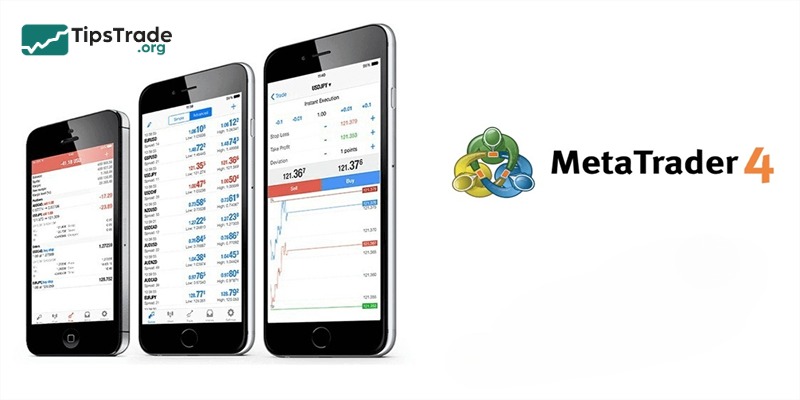
To understand how to use MT4 on mobile devices, you first need to download the MT4 application to your device. In this article, Tipstrade.org will provide a detailed guide on using MT4 on mobile for Android and iOS. Let’s get started!
Overview of MT4
What is MT4?
MT4, fully known as Metatrader 4, is software built and developed by MetaQuotes with the aim of providing a trading platform for users in the foreign exchange and futures markets, as well as CFDs. MT4 is considered extremely advanced and modern trading platform software, providing almost every support tool available in the Forex market for users to comfortably analyze and evaluate market trends.
Currently, although various software options have been launched in the market to support financial trading, most investors both domestically and internationally still choose MT4 as the most essential long-term foundation. Recently, the parent company also released MT5 software, an upgraded version of MT4. However, Metatrader 4 is an irreplaceable name because it is universally recognized by users as the software that can handle the most orders and provide the most comprehensive support tools and superior features in the current Forex market.
As of now, MT4 is still being developed quite steadily by its parent company and also boasts a huge user base due to its popularity and the effective aspects it offers. Additionally, MT4 is a cross-platform software, or in other words, Metatrader 4 not only works commonly on devices like computers and laptops but also operates extremely powerfully on other electronic devices such as phones and tablets. Since investors can easily access the market via phone anytime, anywhere, it’s incredibly convenient and fast. Additionally, you can easily access MT4 through the websites provided by the system.
See more:
- How To Install EA Into MT4? A Step-By-Step Guide
- Discover the top 6 indicators in MT4 that are widely used
- Detailed guide on how to install MT4 on Macbook (MacOS)
- How to backtest on MT4 like a pro: The ultimate guide for beginners
Some outstanding features of MT4
When we mention MT4, we can easily list countless different features. Here are some of the most outstanding features that Tipstrade.org wants to introduce to you:
- It is a software that boasts over 50 different indicators, allowing users to analyze the market technically and identify price trends more easily.
- Supports both direct and indirect trading (with indirect trading incurring higher fees).
- Extremely fast order execution (including orders such as buy stop, buy limit, sell limit, sell stop, etc.).
- Provides extremely accurate and convenient real-time charts (timeframes from approximately 1 minute to 1 month).
- It features One Click Trading, which is extremely fast and efficient.
- Additionally, MT4 is extremely popular for its Copy Trade feature, which allows users to copy trades from experienced individuals, saving time and increasing the success rate.
- And finally, MT4 is software trusted and used by a large number of users, so you can use it with peace of mind without worrying about risks.
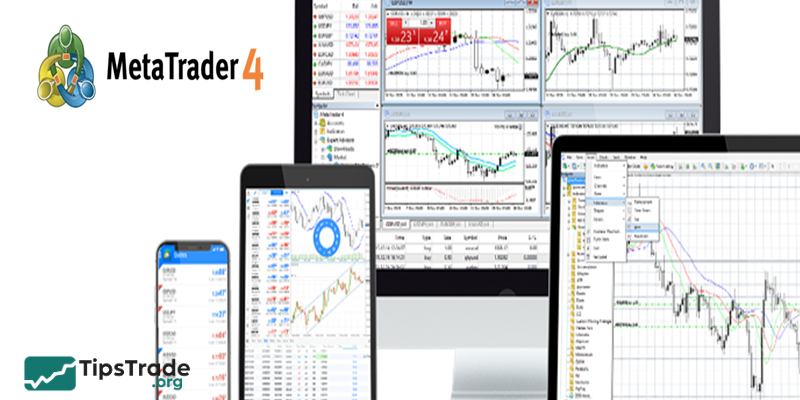
Detailed and effective guide to using MT4 on mobile
After briefly understanding the basic concepts and some of the outstanding uses of MT4, let Tipstrade.org provide you with some instructions on how to use MT4 on mobile so you can do it quickly and most effectively.
As of now, almost all traders are very familiar with using the MT4 software, especially on platforms like computers, laptops, and official websites. Therefore, in this article, we will primarily explore how to use MT4 on mobile platforms in the most detailed way possible.
When it comes to mobile devices, there are currently two basic operating systems that are popular: Android and iOS. So, for now, let Tipstrade.org guide you on how to use MT4 on mobile for these two platforms from A to Z.
Brief overview of how to install MT4 on mobile
First, let’s go over the two most basic installation methods on the Android and iOS platforms at the present time.
Installing MT4 on Android
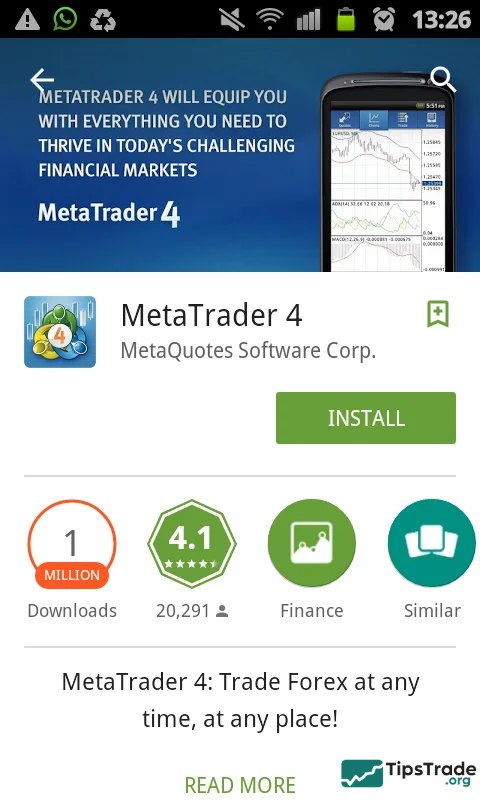
For mobile platforms using the Android operating system, you simply need to access the application called CH Play and then search for the keyword “MT4”. You will then be able to see the icon of this software on your screen, allowing you to simply press install and open the application.
Installing MT4 on iOS
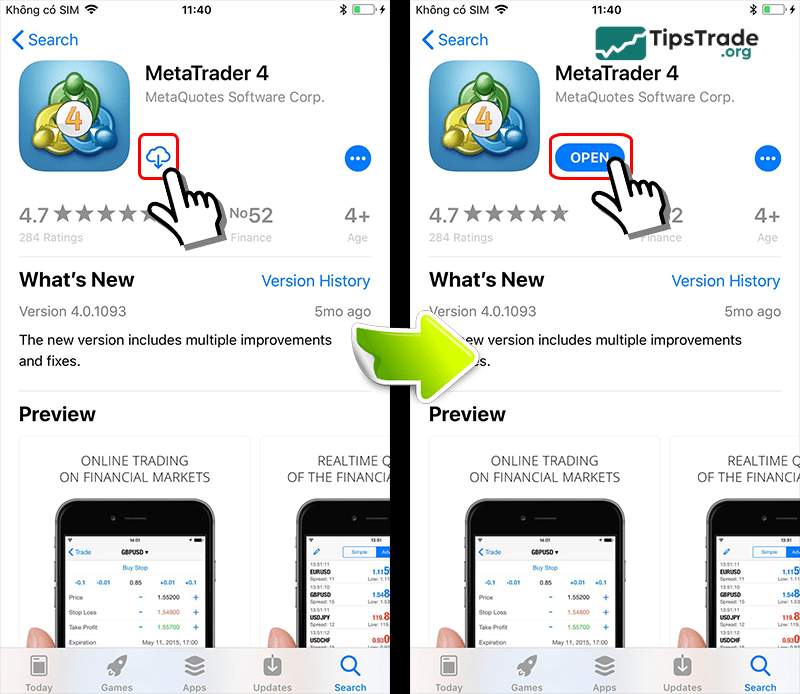
As for the iOS operating systems, you will need to access the application called Appstore to install MT4. Simply search for the keyword “MT4” there, just like on Google Play, and you will immediately see the software icon. Now, just tap install and you’re done.
How to log in and open an MT4 account on mobile
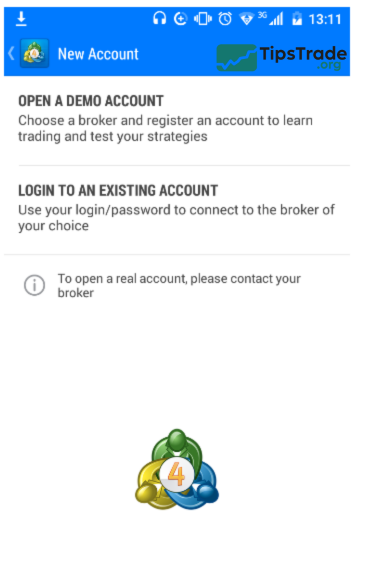
If this is your first time using MT4, you’ll first need an account to join the international trading community. To register and create an account, you will have to make two decisions: whether to use a demo account or a real account to participate in the market. After selecting the type of account you wish to register, the next step is to provide some information to the software to facilitate the quick and accurate creation and opening of your real account.
- Step 1: Fill in your information and the name of the exchange you want to participate in the activity.
- Step 2: Provide basic information such as your name, contact phone number, email, and types of personal identification documents so the system can verify and easily contact you.
In the case where you already have a Forex account on MT4, you just need to follow these steps:
- Step 1: Select the option to log in with an existing account.
- Step 2: Fill in the information for the exchange you registered to participate in the activity.
- Step 3: Enter your previous account information and password to begin logging into the system.
Introducing the features of MT4 on mobile
Add currency pairs to the app
MT4 is software that only supports you in using a limited number of currencies, so you need to add some other currency pairs and price charts to facilitate your upcoming trading needs.
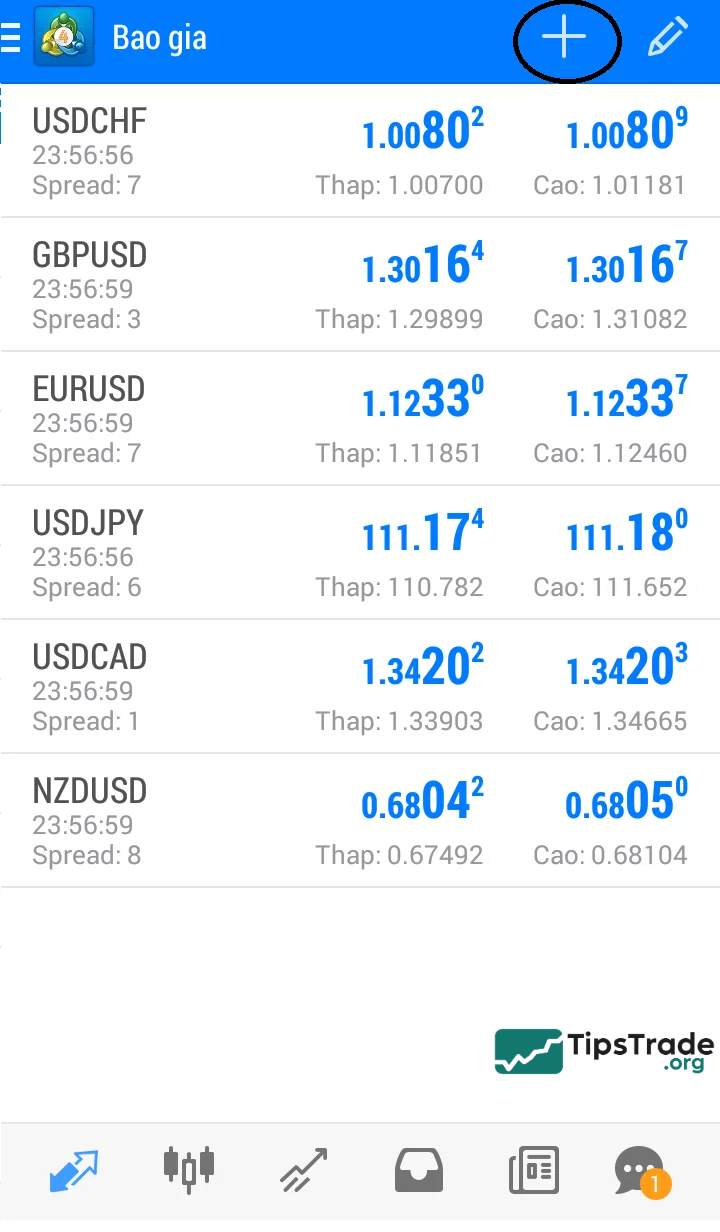
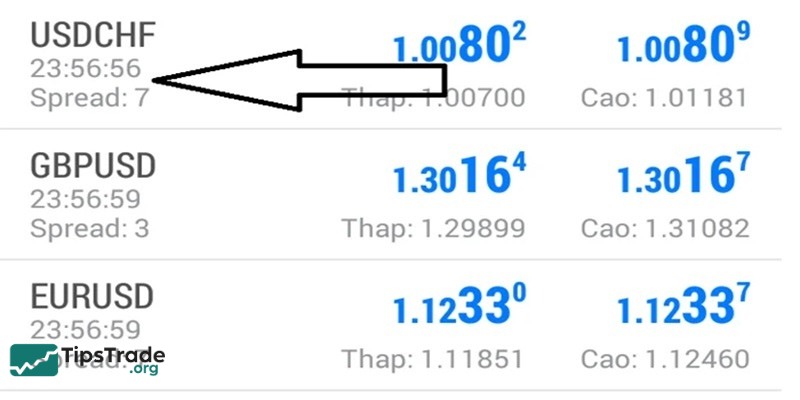
The above is the interface of the MT4 software screen. To add currency, you just need to click on the “+” symbol in the top right corner of the screen to complete this step.
Show charts
To view charts on MT4, you only need a few simple steps to do so.
- First, you need to search for a specific currency that you want to display on the screen.
- Then you click on it and perform the action of dragging it to the left, which will display the chart on the screen.
Change the timeframe
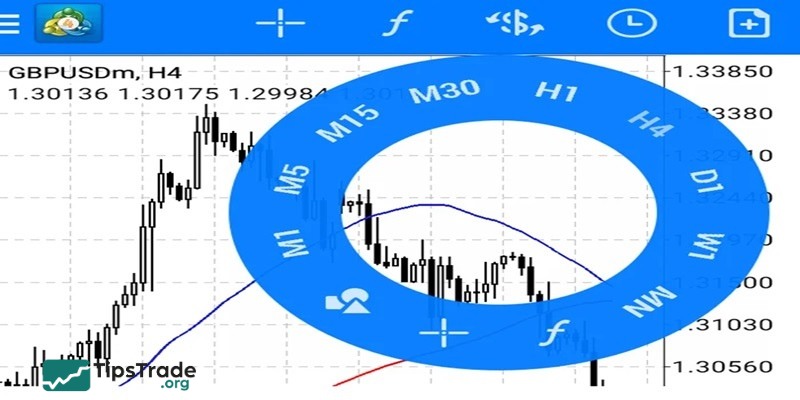
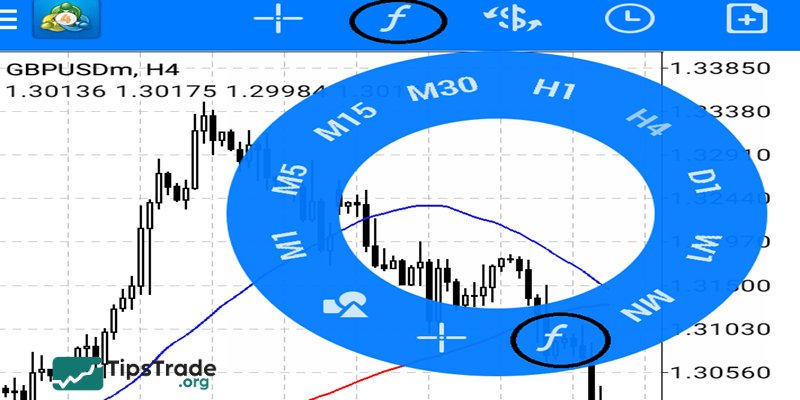
While observing the chart, if you want to change its default time frame, you can tap on the current chart. From there, the system will display a circle containing various time frames. Finally, select the time frame you desire, and you’re done. Extremely simple, right?
Placing an order
First, you need to select the currency pair you want, then the system will display an options table. At this point, what you need to do is click on the word “New Order” to open the trading interface table as shown in the image below.
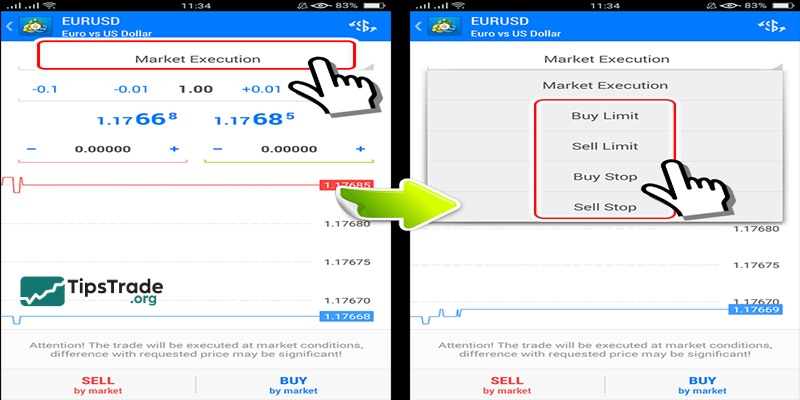
Looking at the interface of the order table, we can see three main components:
- 1: Displays the types of orders used in the Forex market.
- 2: Where your stop-loss is displayed.
- 3: Where to understand your take-profit points
The window displays the types of orders in trading
With this interface, you will see some common order types when trading in the foreign exchange market, which are:
- Buy Limit: a buy order placed below the current price.
- Sell Limit: a sell order placed below the current price.
- Buy Stop: a buy order placed at a price higher than the current price.
- Sell Stop: a sell order placed at a price higher than the current market price.
Close order
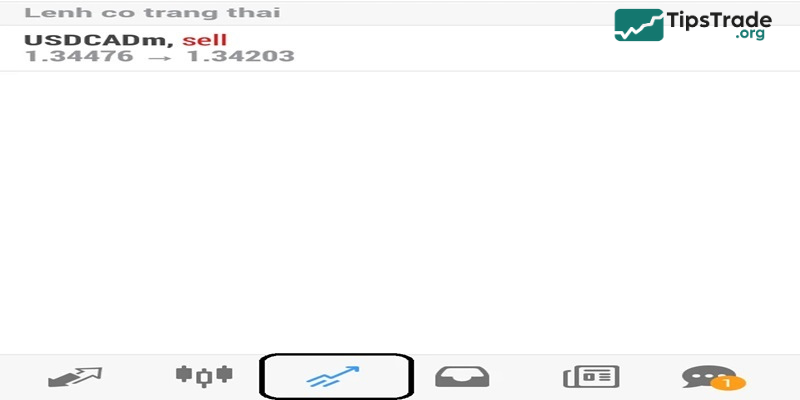
This is a function that allows you to close a trade when your price trend prediction deviates in the opposite direction. To complete this step, you simply need to click on the tab with the up arrow icon as shown in the illustration below and proceed to select the order type you intend to close to complete the process.
Use supporting indicators
To use the built-in support indicators in the software, simply click the “f” icon in the top tab of the screen. This will display a circle containing various indicators on the screen, allowing you to choose freely.
Final thoughts
You can see that the MT4 software is a highly advanced platform that possesses many superior features, thus MT4 can almost meet all the needs of traders in the market easily. The article has introduced you to an overview of MT4 as well as a guide on how to use MT4 on mobile. If you find it interesting and useful, you can follow us to receive more valuable information in the future.
See more: