
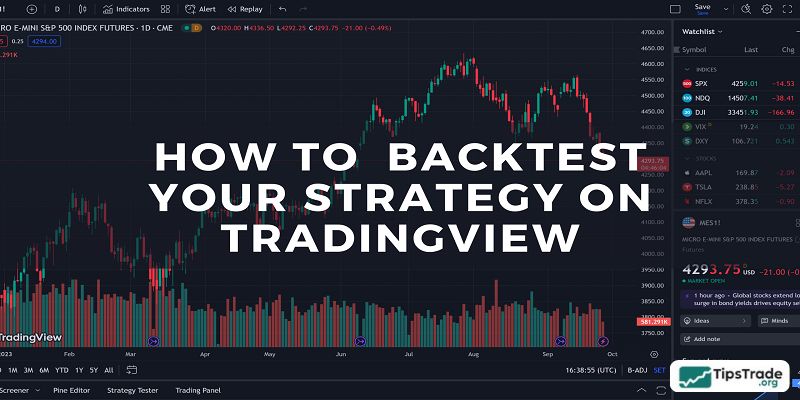
TradingView backtest strategy? With its user-friendly interface and flexible features, TradingView not only allows users to monitor market movements but also provides highly effective backtesting tools. In this article, we will explore two ways to backtest on TradingView: a manual method and an automated method, providing you with detailed step-by-step instructions from A to Z. Let’s get started!
What is the backtesting feature on TradingView?
Backtesting allows you to “replay” historical market data, enabling you to test your trading strategies on past price movements to evaluate their viability. While it cannot guarantee future results, a thorough backtesting process can help you avoid common pitfalls and validate your trading intuition.
See more:
- What is TradingView? A Platform Providing Visual Charts for Traders
- Top Powerful TradingView Features Every Trader Should Know
- How to Sign Up TradingView Account? Step-by-Step Guide
- Guide to using TradingView chart for beginners
Why “Guide to TradingView backtest strategy” is essential for traders
TradingView not only offers a user-friendly and intuitive interface but also integrates powerful backtesting tools. While the free version of TradingView provides many useful features, the paid plans unlock a whole new level of comprehensive and valuable functionalities for serious traders.
From access to real-time market data to a wide range of technical indicators and high customization capabilities, TradingView is an ideal platform for conducting effective backtests.
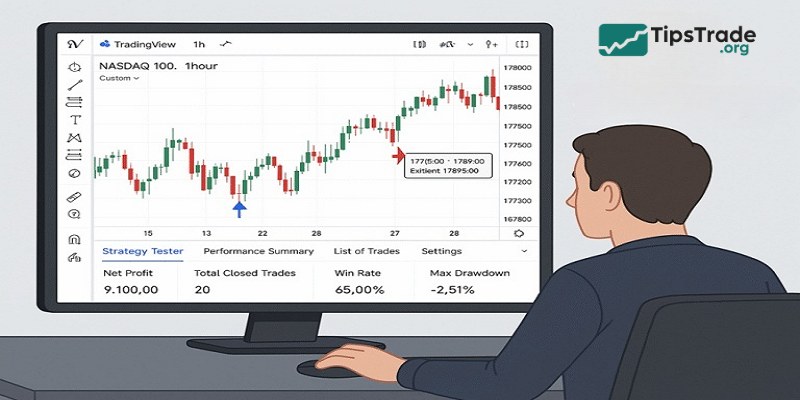
Guide to TradingView backtest strategy: Simple and proven methods
Manual Backtesting with the Bar Replay Function
Step-by-step Guide:
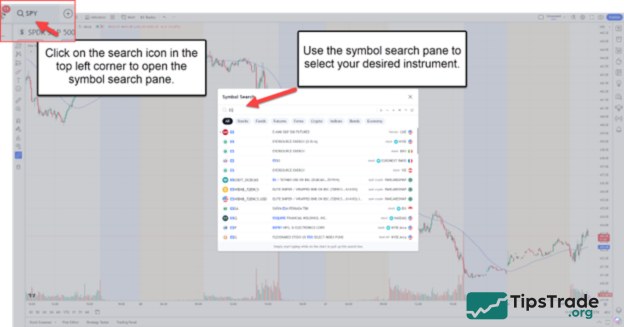
- Open a Chart: Visit TradingView and open the desired chart of the financial instrument you wish to backtest.
- Bar Replay Tool: On the top-right side of the chart, find the Bar Replay icon.
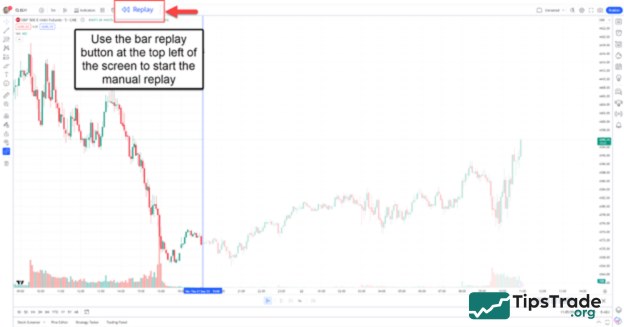
- Setting Start Point: Move the cursor to where you wish to start your backtest and click to set the starting point.
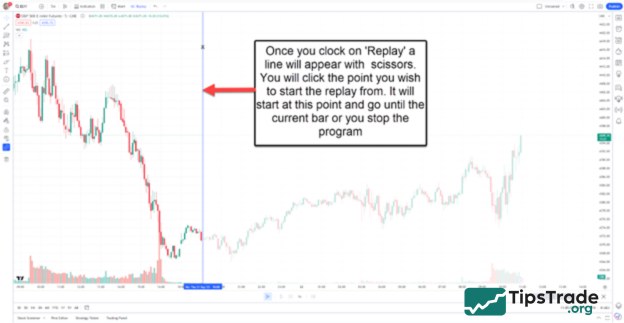
- Playback Control: Utilize the play, forward, or reverse buttons to move through the price data one bar at a time.
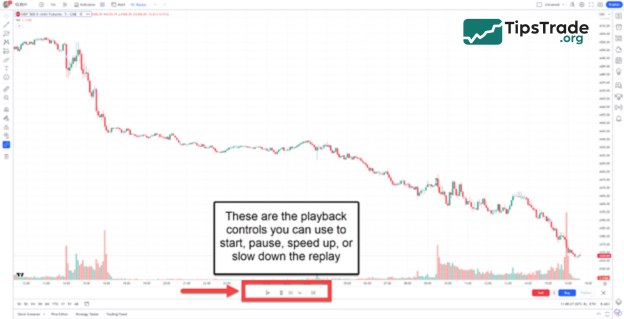
- Manually Execute Trades: As you move through the data, apply your strategy’s rules to decide on trade entries and exits.
- Document Results: Make sure to record all trade outcomes, including entry/exit prices, stop-loss, take-profit levels, and trade outcomes.
Automated Backtesting with Pine Script and Strategy Tester
To perform automated backtesting on your TradingView account, you can leverage the power of Pine Script and the Strategy Tester tool. This is an efficient solution that saves significant time compared to manual backtesting. Let’s explore the step-by-step process with Tipstrade.org!
- Open the Pine Script Editor: On the top panel, click on the ‘Pine Editor’ tab.
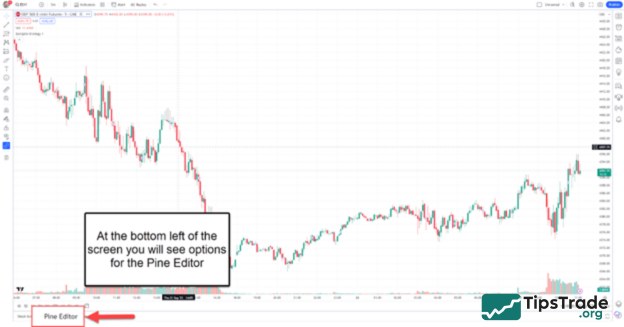
- Code or Import a Strategy: Write your strategy using Pine Script or import a pre-existing code. TradingView also has a repository of community-generated strategies that you can use.
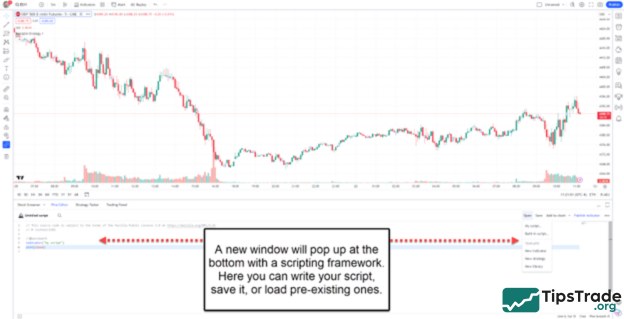
- Add Strategy to Chart: Once you’ve written or imported a strategy, click on the “Add to Chart” button in the Pine Script editor. This will overlay the strategy on your main chart.
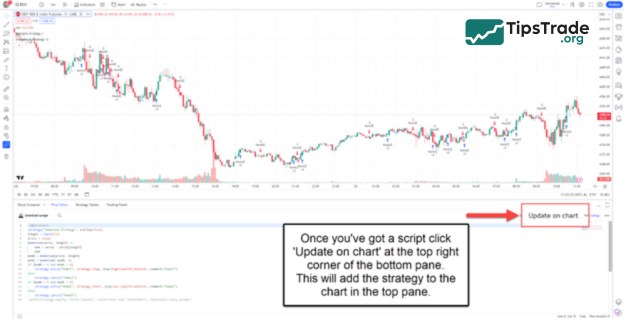
- Access Strategy Tester: Located at the bottom of your chart. It will summarize the strategy’s performance based on historical data.
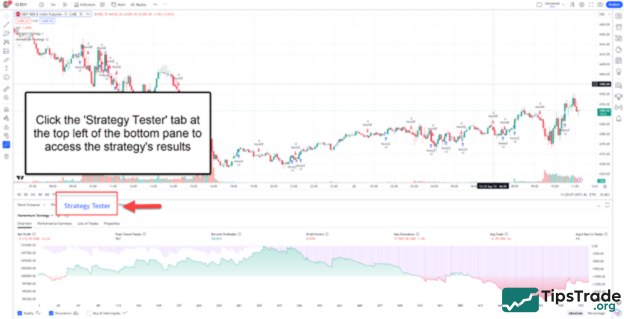
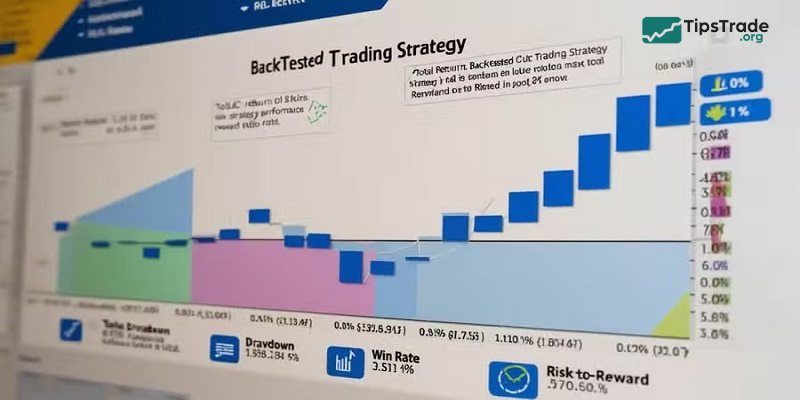
- Review Results: The Strategy Tester will display various metrics like Total Net Profit, Max Drawdown, Percentage of Profitable Trades, and more. The main chart will also visualize where your strategy would have entered and exited trades.
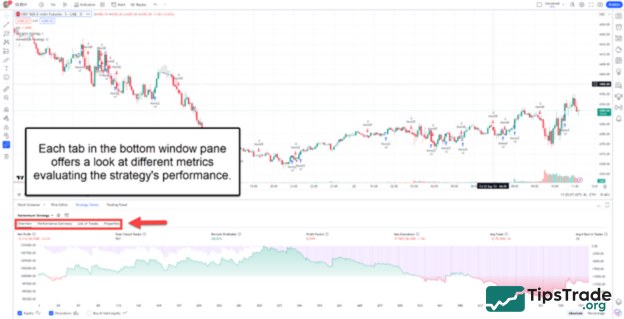
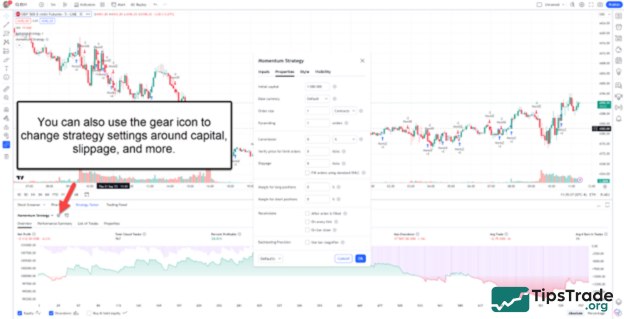
- Optimization: Refine parameters in your Pine Script code and re-run the Strategy Tester to optimize your strategy.
Advanced tips for optimizing your TradingView backtest strategy
To TradingView backtest strategy effectively, you should follow several proven practices that help improve both the accuracy and realism of your strategy. Specifically:
- Use sufficient historical data: Make sure you backtest over a long enough time period to obtain reliable results. Testing on only a few weeks of data may not accurately reflect market behavior under different conditions.
- Account for slippage and commissions: In real trading, these costs are unavoidable. Ensure your strategy remains profitable after including slippage and commission fees. This helps you estimate more realistic potential returns.
- Avoid overfitting: Overfitting occurs when a strategy is too closely optimized for past data, causing it to perform poorly on new market data. A good approach is to split your dataset into a training period for developing the strategy and a testing period to validate its effectiveness.
- Review and update regularly: Financial markets are constantly evolving, so review and update your strategy periodically to ensure it remains aligned with current market conditions.
Common mistakes in TradingView backtest strategy
To ensure your TradingView backtest strategy is highly effective, you should avoid several common mistakes that many traders often make. Below are key considerations that Tipstrade.org would like to share to help you refine your backtesting strategy.
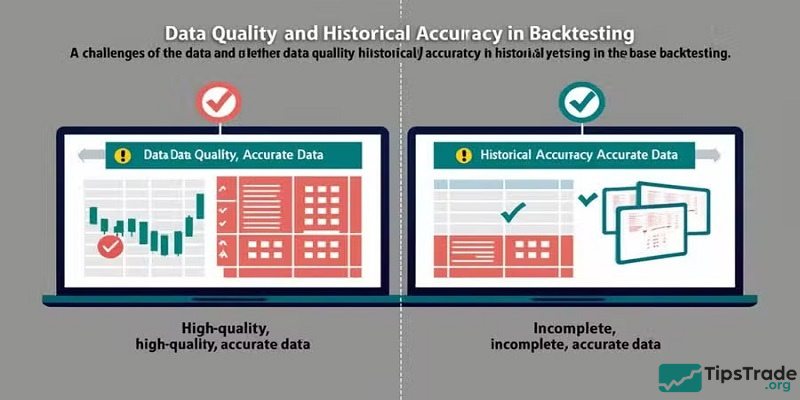
- Insufficient data: Using only a short-term dataset can lead to inaccurate and misleading backtest results. Make sure to use a comprehensive and diverse dataset that includes different market phases to gain a well-rounded view of your strategy’s performance.
- Lack of clarity: Your strategy must be clear and well-defined. Every aspect of the strategy, from entry and exit rules to risk management parameters, should be explicitly specified. Any ambiguity can result in inconsistent backtest outcomes and distort the evaluation of your strategy’s effectiveness.
- Over-optimism (Curve Fitting): A common mistake is curve fitting, where traders unintentionally over-optimize a strategy to fit historical data too closely. This can cause the strategy to fail when applied to new data. To avoid this, always evaluate your strategy across different datasets and test it under various market conditions.
- Ignoring trading costs: When backtesting, don’t forget to account for costs such as commissions, slippage, and other fees. Ignoring these factors can lead to an overestimation of profitability and fail to reflect the actual returns you might achieve in real trading.
Best backtesting strategies on TradingView
When entering the world of trading on TradingView, applying effective backtesting strategies is extremely important. Below, we will introduce some of the best backtesting strategies you can apply to optimize your trading performance.
- Breakout Trading: This strategy focuses on identifying and trading in the direction of price breakouts from established levels. Think of it like surfing a wave, where traders capture and ride the strength of a price trend. To implement this strategy effectively, you need a solid understanding of support and resistance zones, along with trading volume and market momentum.
- Breakdown Trading: This is the opposite of breakout trading, where traders look to short futures contracts and take advantage of price declines when the market breaks below key levels. This strategy requires closely monitoring price signals and using technical indicators to determine optimal entry points.
- Mean Reversion Trading: This strategy is based on identifying situations where price has deviated significantly from its average, with the expectation that it will return to its normal level. For example, if the E-Mini S&P 500 drops sharply following an inflation data release, a mean reversion trader might decide to enter a long position, anticipating a price recovery.
- Catalyst / News Trading: These traders stay ready to react quickly to high-impact news events. Typical examples include trading 10-year Treasury futures after an FOMC announcement or trading crude oil futures following a DOE inventory report. Timely and accurate information enables faster and more effective trading decisions.
Conclusion
Each strategy comes with its own strengths and risks, so it’s essential to evaluate them carefully and choose the one that best fits your trading style. By guiding to TradingView backtest strategy, you can enhance your forecasting skills and improve decision-making across different market conditions.
Wishing you successful trading, and let Tipstrade.org accompany you on your journey to conquering the financial markets!
See more: