

In the global trading community, publish idea TradingView is far more than simply sharing a chart. It is a powerful way to express your market analysis, refine your trading mindset, build personal credibility, and connect with millions of traders worldwide. Whether you are a beginner learning technical analysis or an experienced trader aiming to grow your personal brand, publishing trading ideas on TradingView can unlock long-term value and visibility.
So what exactly is publish idea TradingView, how does it work, and how can you create ideas that attract more views and engagement? Let’s explore everything in detail below.
Explore the “Publish idea TradingView” feature
Publish idea TradingView is a feature that allows users to publicly share their trading ideas based on technical analysis charts. A trading idea typically includes market context, trend analysis, entry points, stop loss (SL), take profit (TP), and alternative market scenarios.
Unlike saving private charts, publishing an idea makes your analysis visible to the entire TradingView community.
Who should use publish idea TradingView?
- Individual traders tracking their trading journal
- Technical analysts and market commentators
- Beginners practicing market analysis
- Educators, influencers, and traders building a personal brand

See more:
- What is TradingView? A Platform Providing Visual Charts for Traders
- Guide to TradingView Backtest Strategy: Step-by-Step for Beginners
- TradingView Broker Integration: The Ultimate 2026 Guide for Traders
- How to Join and Use the TradingView Community Effectively for Traders
Why should you “Publish idea TradingView”?
Before hitting the publish button, it’s important to understand the benefits:
- A public trading journal: TradingView keeps a permanent record of every chart you publish. You can’t delete or edit past ideas, which serves as solid proof of your real trading skills.
- Community feedback: By engaging with the TradingView community, other traders can comment, give feedback, or challenge your analysis – helping you identify blind spots in your trading approach.
- Career opportunities: Many investment funds actively look for talented traders with a strong and transparent analysis history on TradingView.
Requirements to publish idea TradingView
TradingView account requirements:
- Free accounts can publish ideas
- Paid plans offer better tools and visibility
- Daily publishing limits depend on account type

Content rules and policies: When using publish idea TradingView, you must:
- Avoid profit guarantees
- Avoid spam or aggressive promotions
- Avoid plagiarized content
- Follow TradingView community guidelines
Publish idea TradingView: Step-by-step guide
Step 1: Prepare a thorough analysis
Don’t post an empty chart. Make sure to clearly draw Support/Resistance zones and trendlines.
Pro Tip: To add more depth to your analysis, include indicators that measure market volatility. Using a forex volatility indicator helps readers understand that you’re not guessing randomly, but calculating risk based on real market volatility.
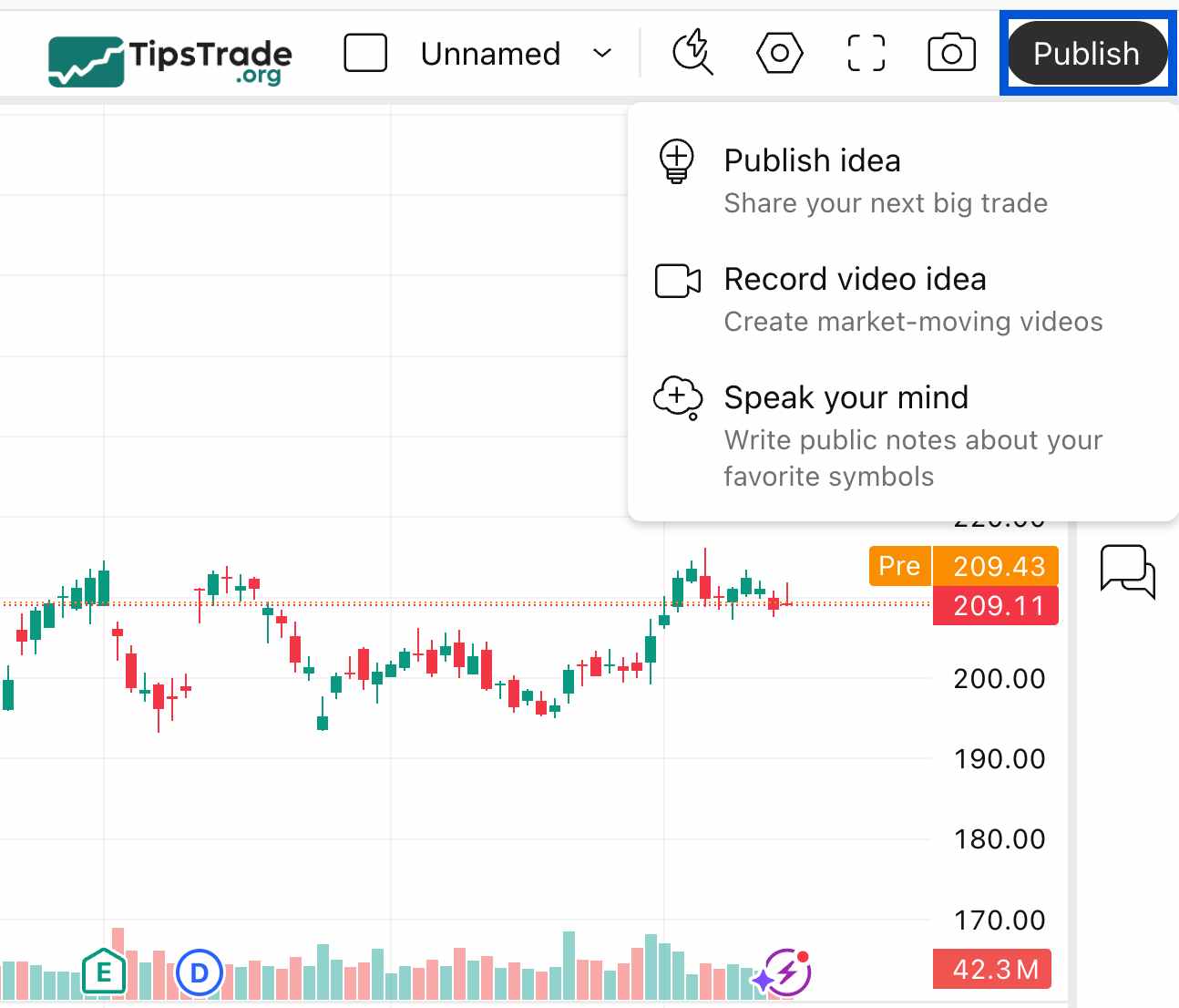
Step 2: Click the “Publish” button
Look at the top-right corner of the screen and click the blue Publish button → Select Publish Idea.
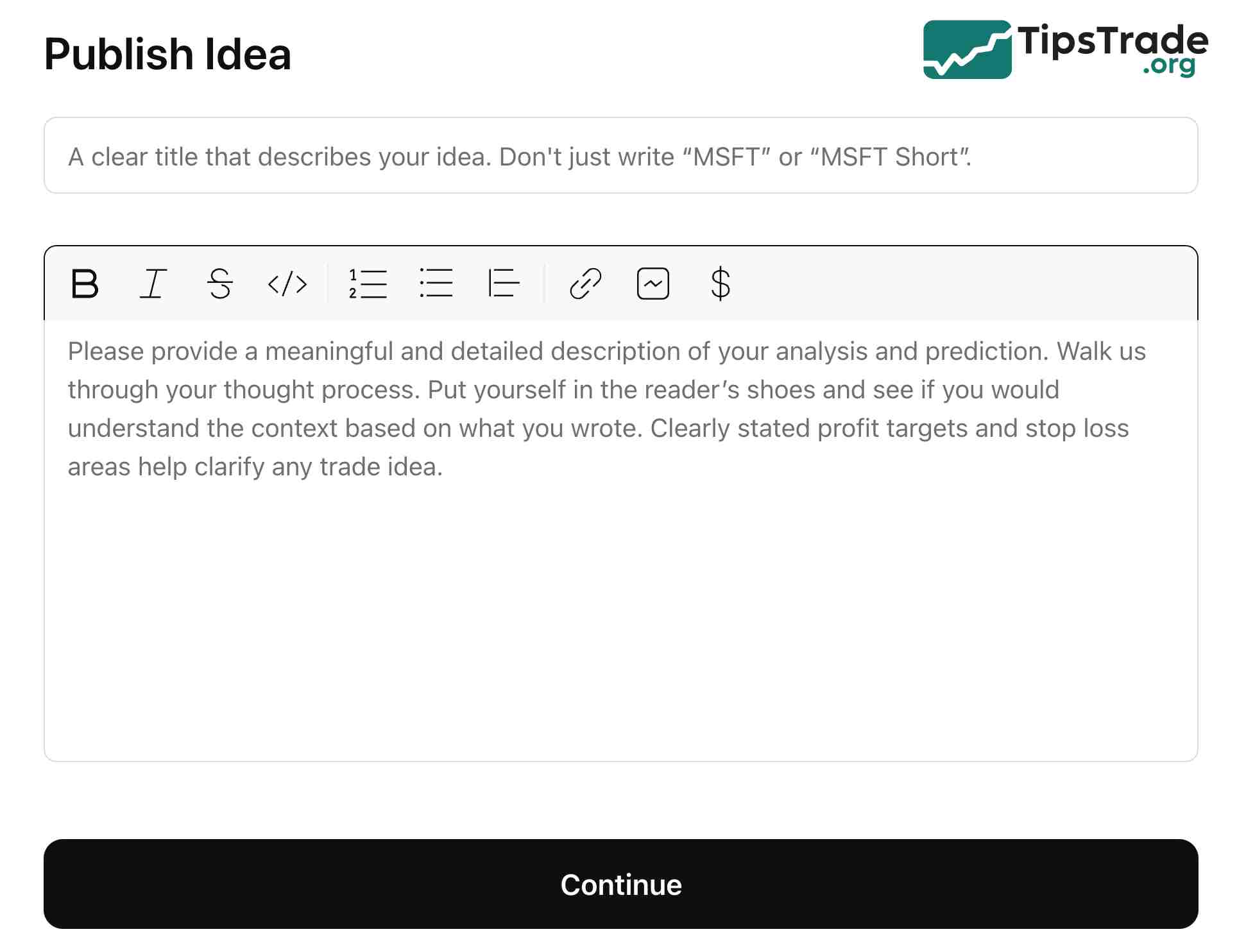
Step 3: Write the Title and Description (Most important)
This is where you persuade viewers.
- Title: Must include the trading pair and the direction (e.g., Gold (XAUUSD) – Short Opportunity at the 2050 Resistance).
- Description: Explain the logic behind your entry. What method are you using? Clearly state the TradingView strategy you apply (such as SMC, Wyckoff, or Elliott Wave) so readers can easily understand your analysis.
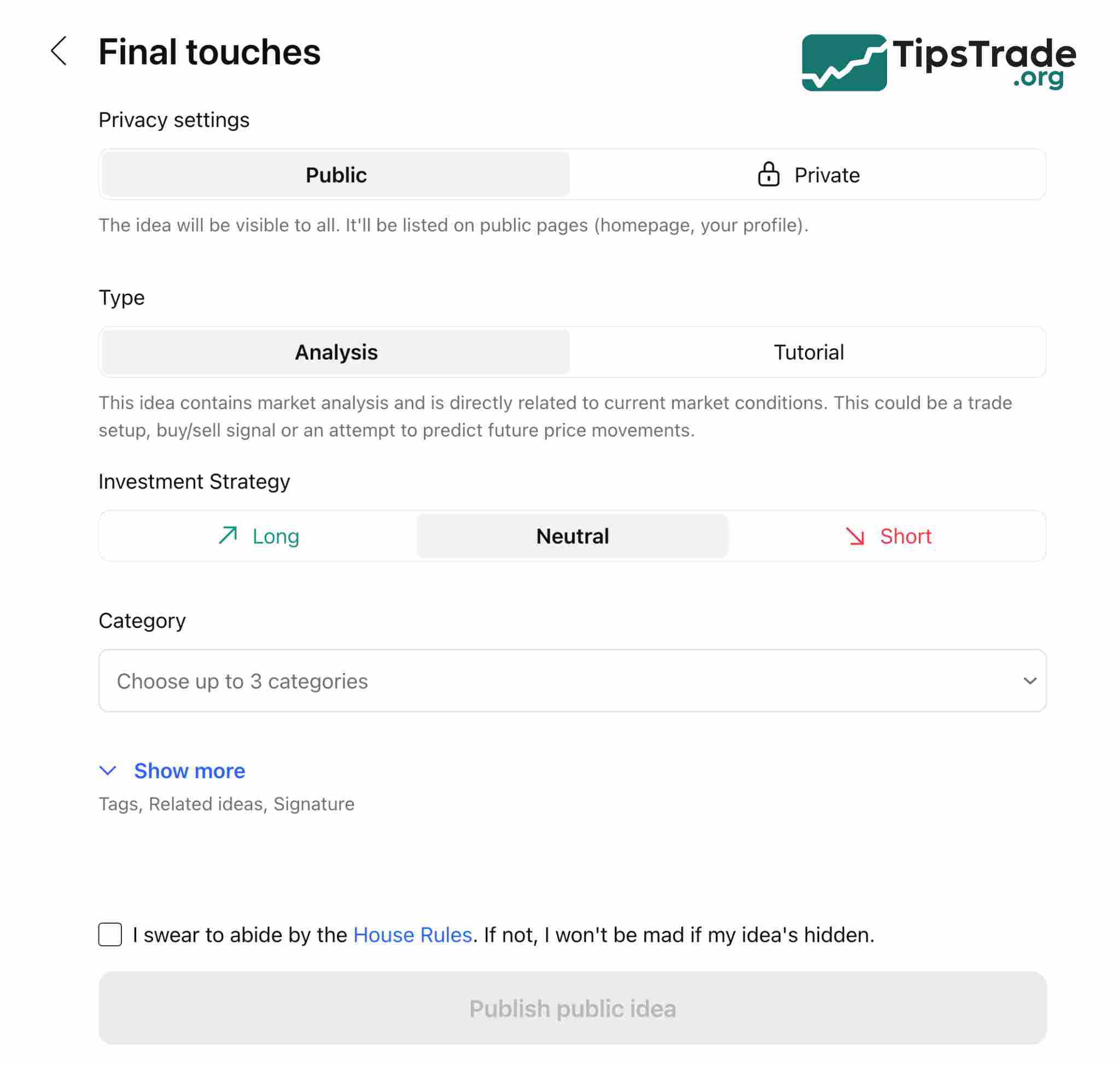
Step 4: Choose the idea type and tags
- Analysis: If you are forecasting price movement.
- Tutorial: If you are explaining how to use a tool.
- Investment Strategy: Select Long (Buy) or Short (Sell).
Tips to getting “Editors’ Picks” (Editor’s Choice)
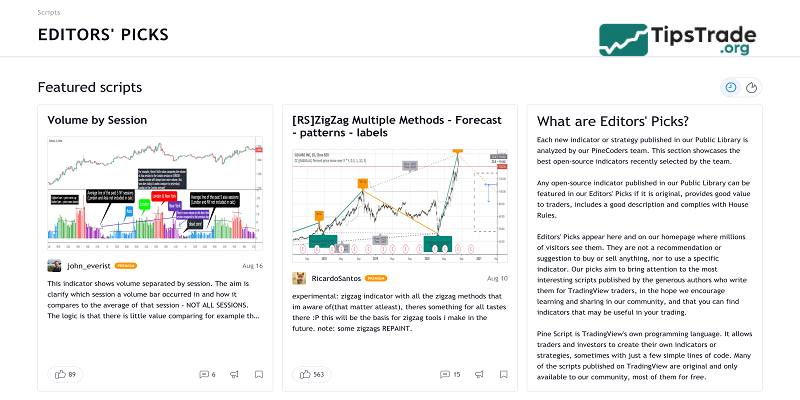
Being labeled as “Editors’ Picks” by TradingView is the highest recognition, helping your idea reach millions of users. The key factors include:
- Clean charts: Avoid adding too many indicators that clutter the chart.
- Educational value: Your post should deliver real knowledge, not just simple buy/sell signals.
- English (Optional): Writing in English significantly increases your chances of being selected.
Frequently asked questions about publishing ideas TradingView
- Is publish idea TradingView free? Yes, free accounts can publish trading ideas.
- How many ideas can I publish per day? This depends on your account type and activity history.
- Can I edit an idea after publishing? Yes, ideas can be updated and modified.
- How do I get more views on my ideas? Focus on quality content, clear structure, and community engagement.
- Does publishing ideas affect my TradingView account? No, as long as you follow TradingView rules and policies.
Conclusion
Publish idea TradingView is not just about sharing charts, it is a long-term tool for improving trading discipline, building credibility, and creating opportunities within the financial market ecosystem. If you are serious about trading, consistently publishing high-quality ideas on TradingView is a strategy worth committing to.
See more: